Company
Green Tile Digital
Role
UX Programmer
Timeline
Feb. 2023 - Aug. 2025
Game Engine
Unity Engine
Tools
Unity UGUI, Figma
Responsibilities
UI/UX Design, Motion Design
Platforms
Customising your character in Locomoto is the key to giving players the flexibility to customise their animal in any way they would like.
I led the 0 → 1 development cycle of the menu, coming up with several iterations, making sure that the cosy and calming feeling still present no matter how crowded the options can get.
Disclaimer: All the UI Art (icons) are made by the lead artist at Green Tile, Maria Levander.
Highlights
Bringing a fun, cosy start to an adorable adventure game
A lot of choices without overwhelming players
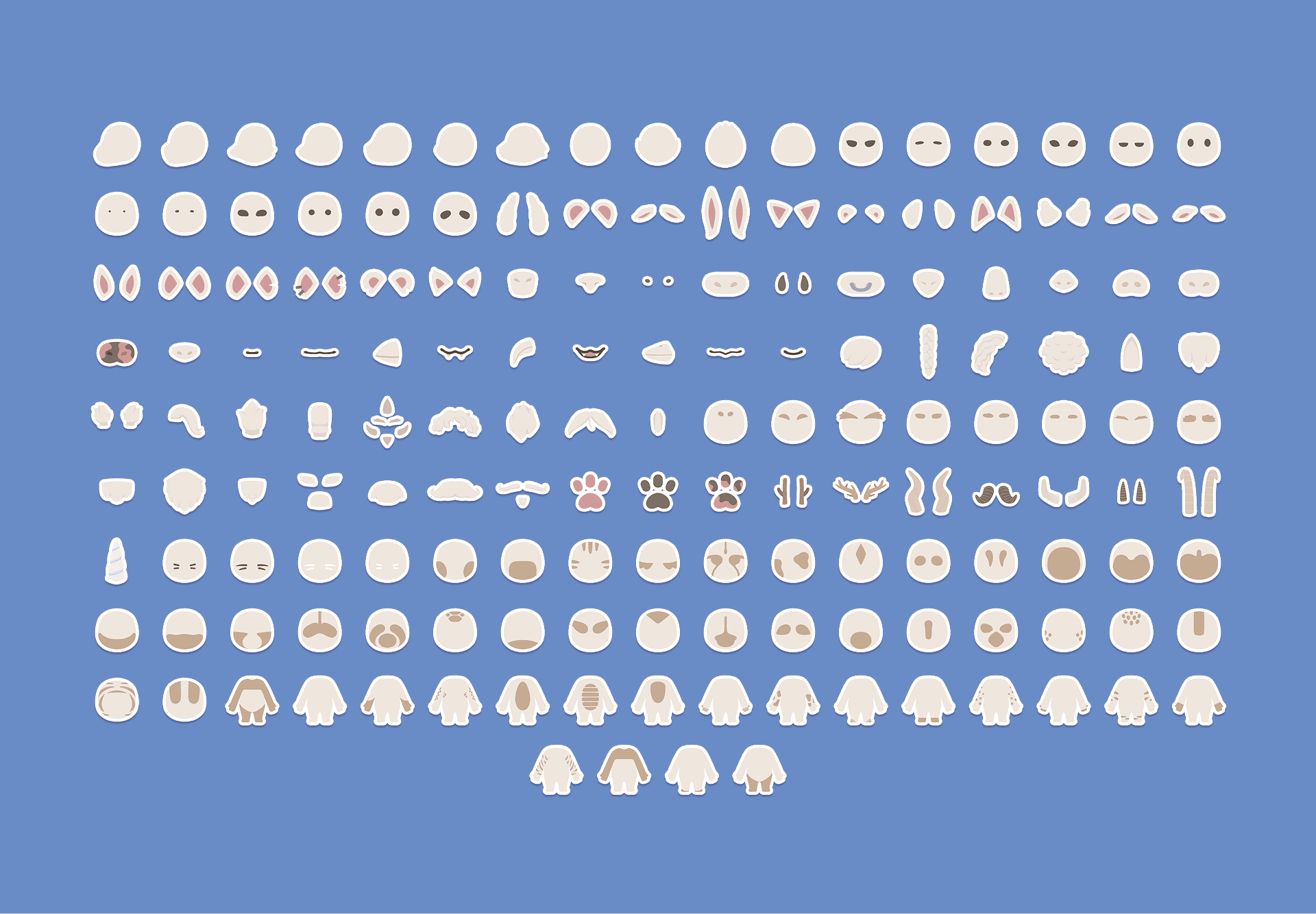
Presenting more than 150 customisation options in a clear and concise way
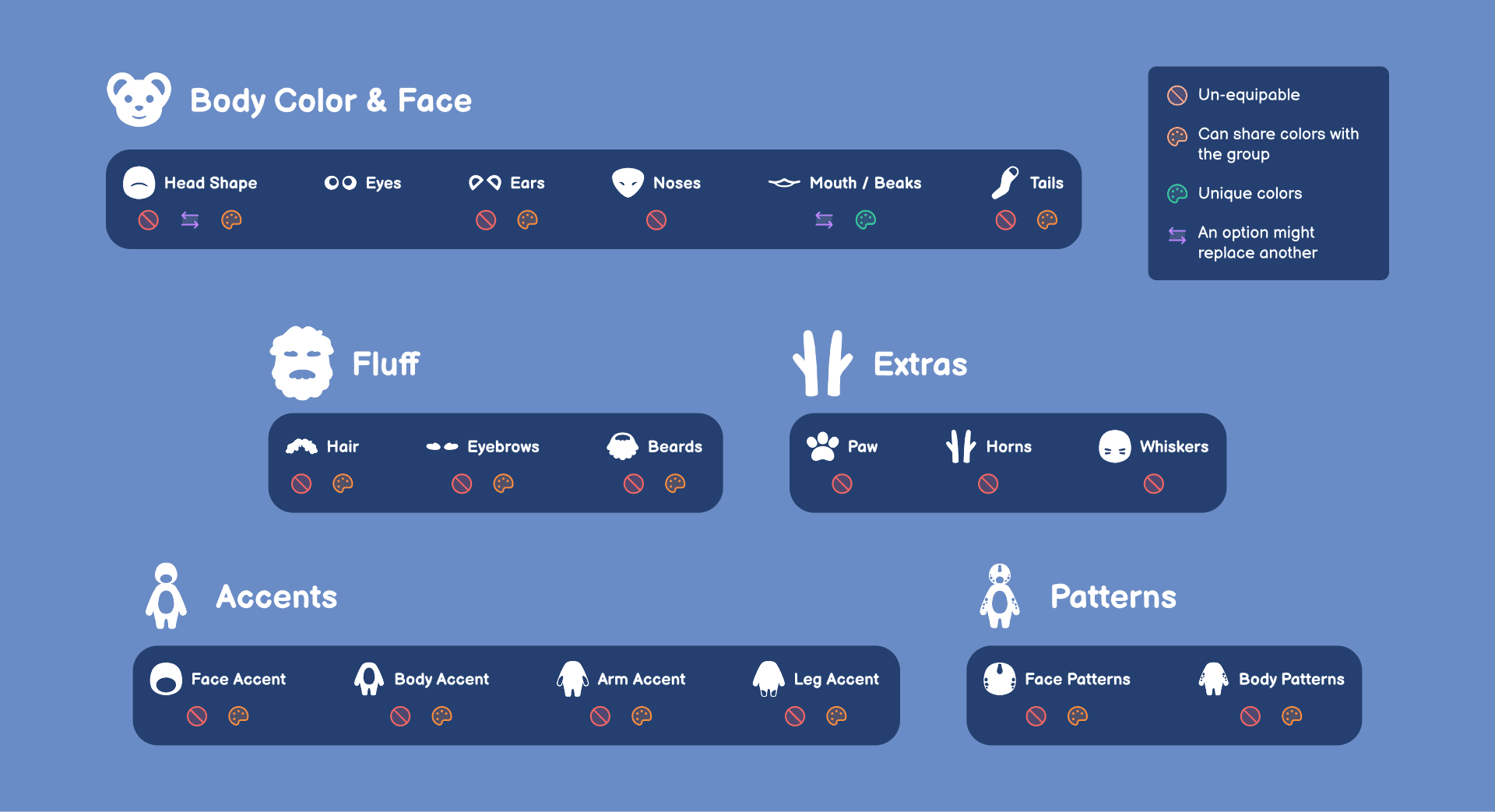
Feature breakdown of each category
Listing down the limitations and features of each category, coming up with designs that are complementary to that
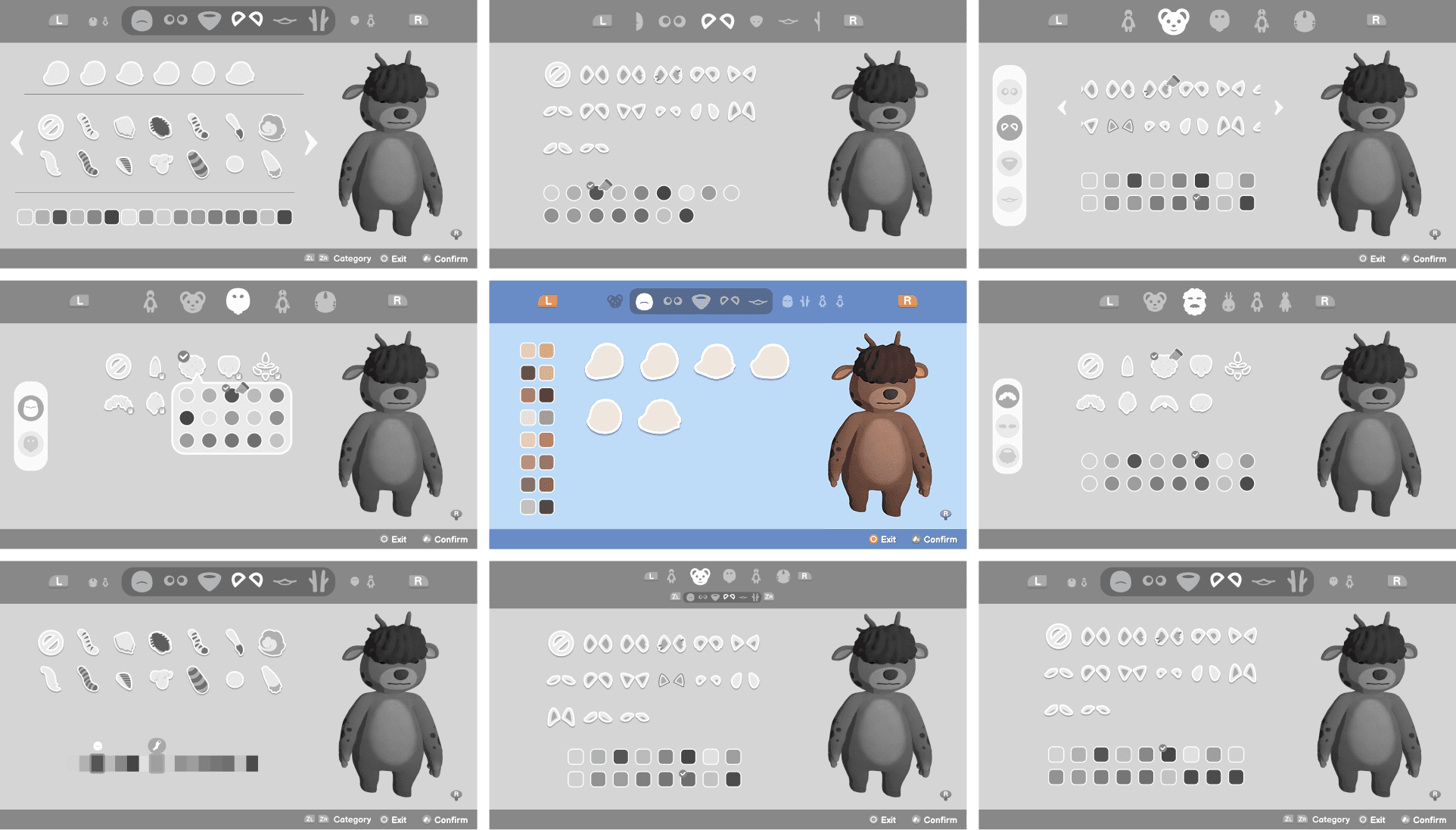
Experimenting with different layouts
Trying out a lot of ideas and leading the discussion to decide on the best layout
Facing the challenges
Important first impression
Creating your character is the first thing you do in Locomoto, it had the biggest impact out of all the menus.
Challenges
A lot of options…
How do we keep the structure organized and concise, while keeping the players engaged throughout the end?
Intuitive for fast players
Players who want just the essentials, and focus on the details later on, how can we help them go through with it?
“Help! I made a mistake!”
How do we allow players to change their character at any time?
Let's start solving
Keep Them Grouped!
How can we make a menu that would fit all the available options and allows the players to pick their option without any hassle? And what about all the colors for each option?
I started by discussing with our lead artist to identify every customisable category, and which features these options would contain.
Some options can be un-equipped
Not every option in a category has to be equipped, the Player is allowed to remove certain options (e.g. patterns, tail)
Options sharing a color
Some options can share a the same color change, how do we group them?
Mostly colors, but some options have texture changes
Most of the options have a color linked to them, some change textures, is that a difference for the Player?
This or that
Mouth and Beak options can replace one another, how do we showcase that?
After listing down the features of the customisation options, I started to group them accordingly what I have discussed with our artist.
Main deciding factor of the groups were their ability to share the same color. Each category also had the features that would apply to them listed below the title.
The goal was to create a flow that felt natural for Players when customizing their characters, so when they started to customise the categories felt natural one after another.
The most distinguishable features of the character creator were the grouped in the Body & Face category. The head would determine the type of animal your character would be closest to, and the face features just enhanced how your animal would look.
Manage the Flow
Players who just want to get started with the game, and not spend their time on perfecting their character needed a way to feel done with their character as soon as possible. So the categories that the players would cycle through had to be in a good order for players to feel that their choices are making the biggest difference.
That’s why the category groups were ordered like this:
Body & Face → Fluff → Extras → Patterns → Details
The most impactful choices the players can make are mainly the body and facial features to their animal characters. Changing the head shape allows the players to feel as if they’re closer to an animal type, and the facial features add a certain look to their character.
For players who deeply enjoy customising their character usually move onto the latter categories!
No Need to Panic!
Locomoto always aimed to be a calming, relaxing experience from the start. The design decisions throughout the game allowed players to make changes at their own pace. Same applies for our customisation system.
Progressing through the game lets players unlock stations in the game with a photobooth. Interacting with the photobooth open up the customisation menu, where players are able to make changes to their characters, and even change their names yet again.
Players are allowed to access the photobooth at any point in the game, since there are no blocking quests, or required steps to go through to unlock it.
Retrospective
Positive reactions from players and streamers
Seeing the positive reactions from our community was the most rewarding for our team.
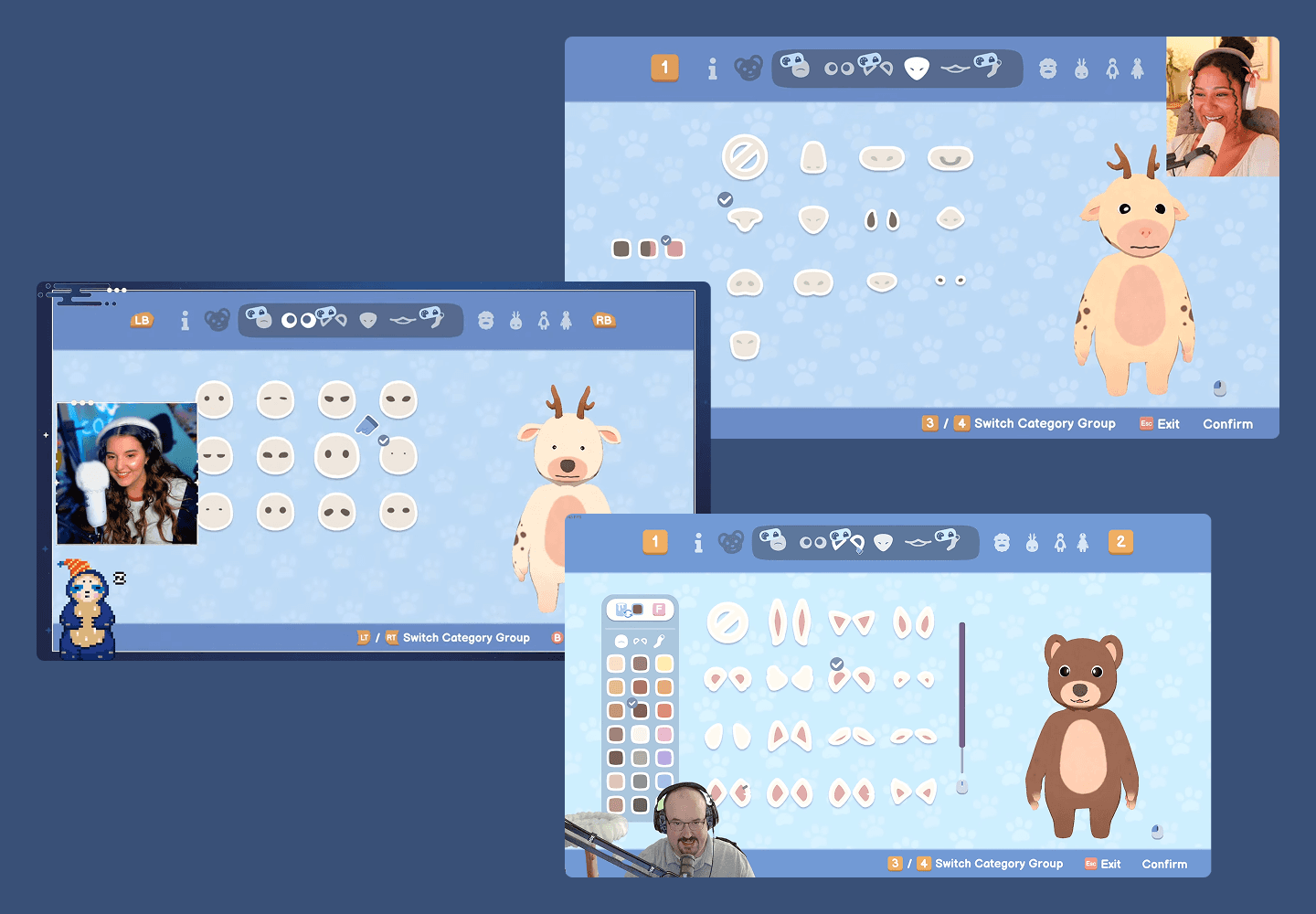
Very cute! Very relaxing! Love the character customizations and outfits!
[...] Character creation is dope. You can slap horn on a bird person or a beak on a cat thing [...]
[...] Character creation seems somewhat simple at first but the tools you have to create just about any animal you can think of are extensive. I had no problem making any number of animals that looked great. [...]
Positive Steam reviews and reactions from streamers (CozyK, Payton’s Corner, DansGaming - listed top to bottom).
Project takeaways
Importance of cross-collaboration
Making sure the design is working well within the constraints of the developers
Reducing complexity without compromise
The amount of customisation options can feel a lot, giving a design that allows players to take it one step at a time made the experience frictionless
Don’t break the principles
Continue the same relaxing, calming experience
An even better experience
Features I would have loved to implement as a patch, if we had the time.
Randomizer button
Providing a randomizer and starting base for animals, a base ready as a cat, dog, horse, seal, etc.
Saving your creation
Presets to save your created characters, to easily switch back to a previous design.
More!
Expanding the options from community suggestions
2025 • Made with passion and a lot of coffee