Locomoto
Company
Green Tile Digital
Role
UX Programmer
Timeline
Feb. 2023 - Present
Responsibilities
UI Design
UX Design
UI Programming
Game Engine
Unity Engine
Tech
Figma, Photoshop
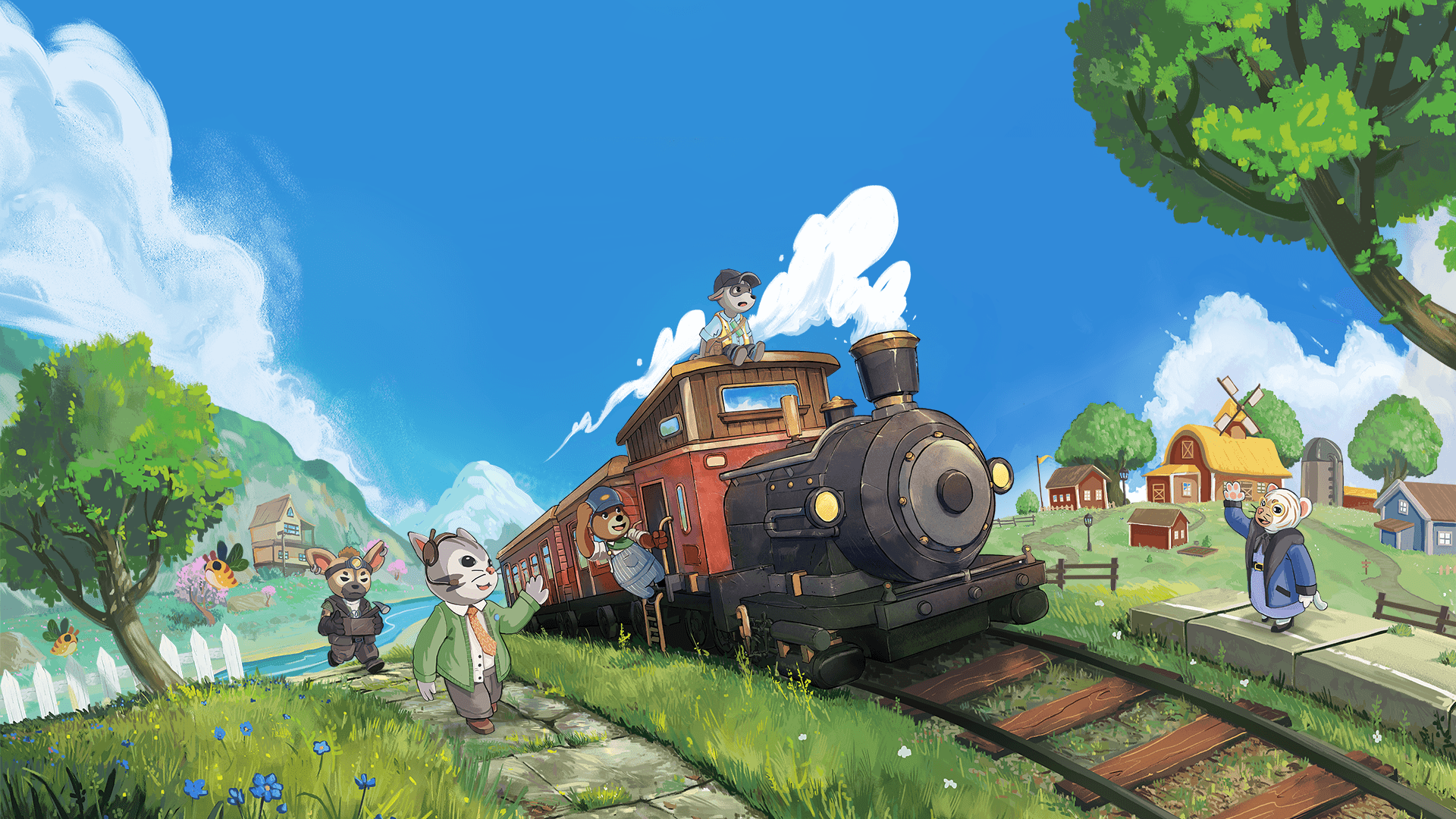
Locomoto is a cosy train adventure game where you customise your character and train, tend to quirky passengers, gather resources to craft furniture and decorations, all while listening to relaxing lo-fi beats.
I joined the team when Locomoto had been in development for 2 years. With the game already well defined, I collaborated with the team to get a good understanding of the world of Locomoto and how the UI would complement the feeling it wanted to invoke. An especially pressing issue was providing an experience pleasant for both first time and experienced players.

Locomoto
Company
Green Tile Digital
Role
UX Programmer
Timeline
Feb. 2023 - Present
Responsibilities
UI Design
UX Design
UI Programming
Game Engine
Unity Engine
Tech
Figma, Photoshop
Locomoto is a cosy train adventure game where you customise your character and train, tend to quirky passengers, gather resources to craft furniture and decorations, all while listening to relaxing lo-fi beats.
I joined the team when Locomoto had been in development for 2 years. With the game already well defined, I collaborated with the team to get a good understanding of the world of Locomoto and how the UI would complement the feeling it wanted to invoke. An especially pressing issue was providing an experience pleasant for both first time and experienced players.
Locomoto
Company
Green Tile Digital
Role
UX Programmer
Timeline
Feb. 2023 - Present
Responsibilities
UI Design
UX Design
UI Programming
Game Engine
Unity Engine
Tech
Figma, Photoshop
Locomoto is a cosy train adventure game where you customise your character and train, tend to quirky passengers, gather resources to craft furniture and decorations, all while listening to relaxing lo-fi beats.
I joined the team when Locomoto had been in development for 2 years. With the game already well defined, I collaborated with the team to get a good understanding of the world of Locomoto and how the UI would complement the feeling it wanted to invoke. An especially pressing issue was providing an experience pleasant for both first time and experienced players.
Showreel
Showreel
Showreel
Highlights
Highlights
Highlights
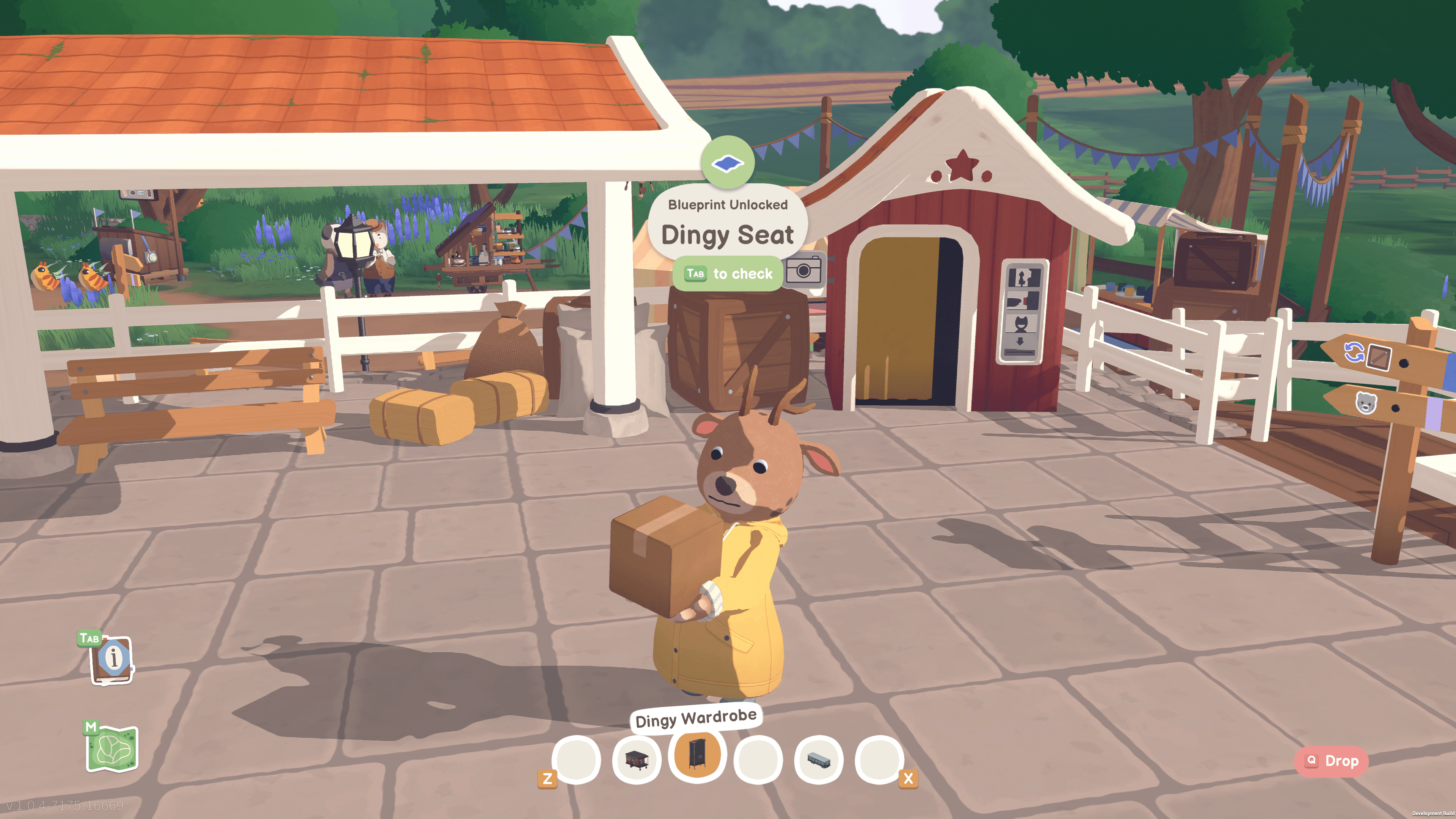
Beginner Friendly User Interface
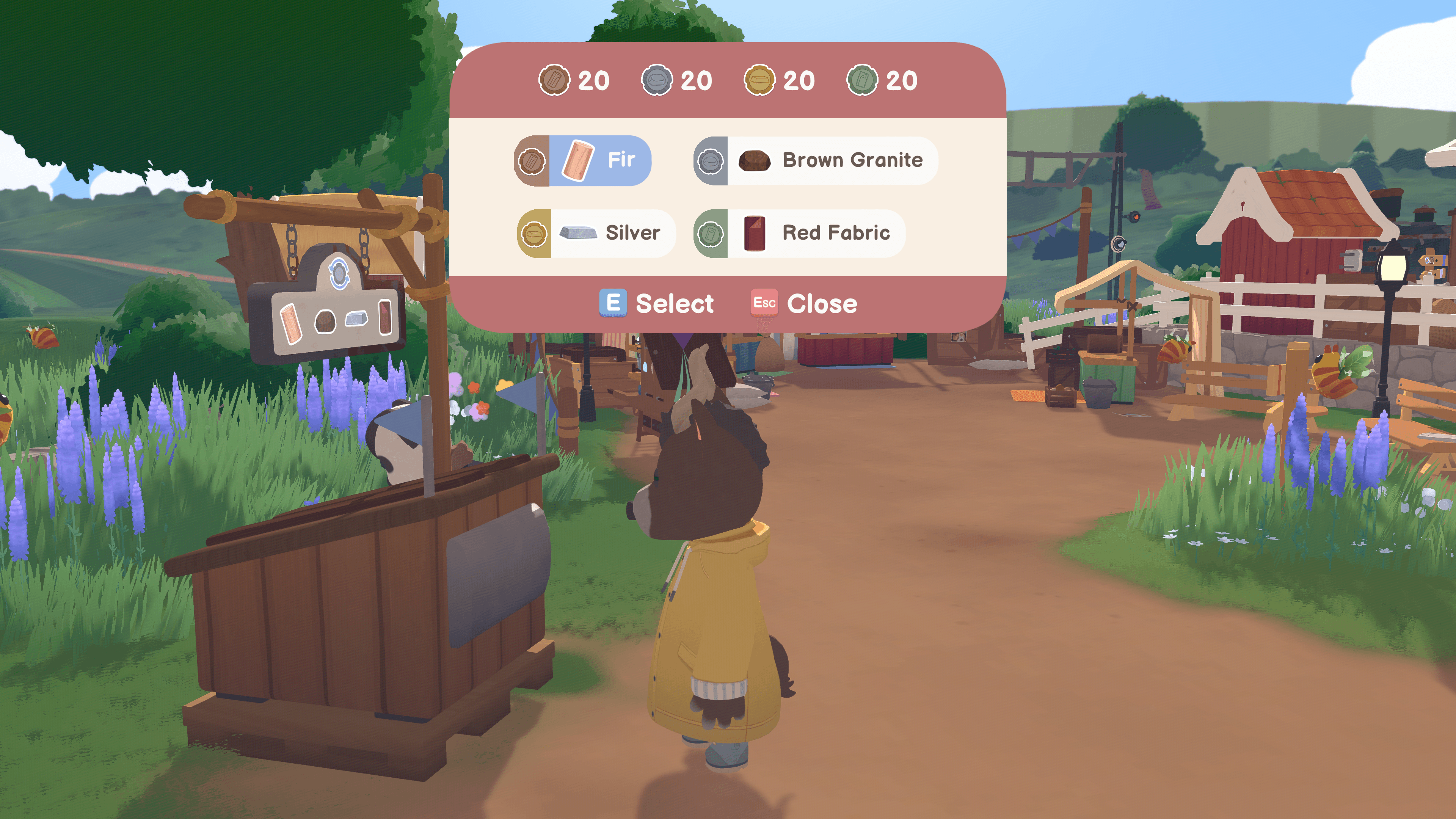
Whether a player had just booted up Locomoto as their first game, or had previous experiences in games; the interface was designed with beginner friendliness in mind.
Contextual button prompts for any action the Player is able to take at a moment
Dynamic control references for menus to help the players guide with the actions they would like to perform
Beginner Friendly User Interface
Whether a player had just booted up Locomoto as their first game, or had previous experiences in games; the interface was designed with beginner friendliness in mind.
Contextual button prompts for any action the Player is able to take at a moment
Dynamic control references for menus to help the players guide with the actions they would like to perform
Beginner Friendly User Interface
Whether a player had just booted up Locomoto as their first game, or had previous experiences in games; the interface was designed with beginner friendliness in mind.
Contextual button prompts for any action the Player is able to take at a moment
Dynamic control references for menus to help the players guide with the actions they would like to perform
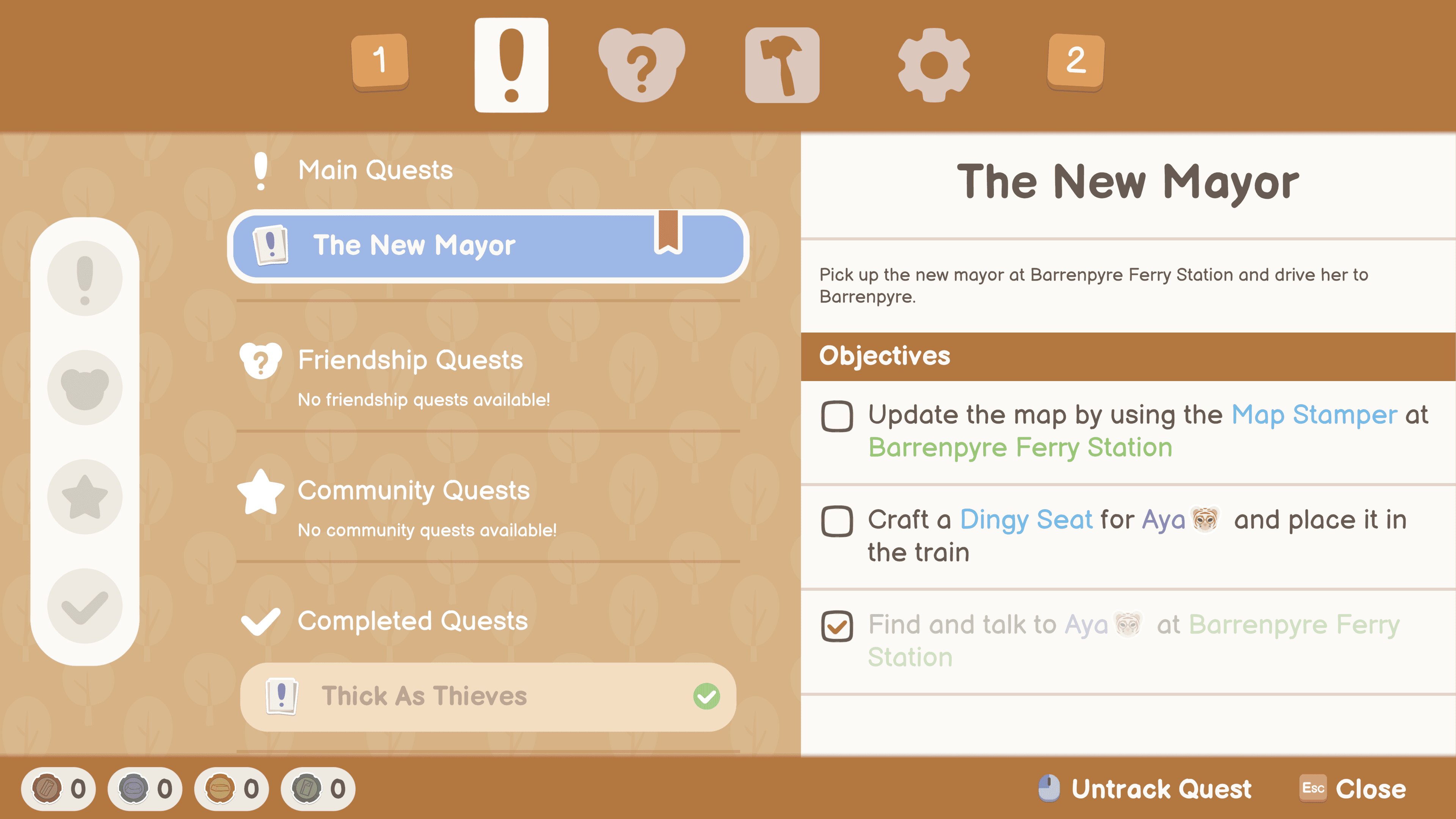
Importance of Emphasis in Typography
Locomoto uses only one active typeface throughout the whole game while maintaining hierarchy, and flow in menus. Using different sizes, weights, styles and colors throughout the UIs, helped us to establish the game language for the players.
Tagging different elements in the game with different colors; like locations, NPC names, items, helped in bringing attention to the important
Supporting with different UI assets to bring attention to text when needed
Importance of Emphasis in Typography
Locomoto uses only one active typeface throughout the whole game while maintaining hierarchy, and flow in menus. Using different sizes, weights, styles and colors throughout the UIs, helped us to establish the game language for the players.
Tagging different elements in the game with different colors; like locations, NPC names, items, helped in bringing attention to the important
Supporting with different UI assets to bring attention to text when needed
Importance of Emphasis in Typography
Locomoto uses only one active typeface throughout the whole game while maintaining hierarchy, and flow in menus. Using different sizes, weights, styles and colors throughout the UIs, helped us to establish the game language for the players.
Tagging different elements in the game with different colors; like locations, NPC names, items, helped in bringing attention to the important
Supporting with different UI assets to bring attention to text when needed
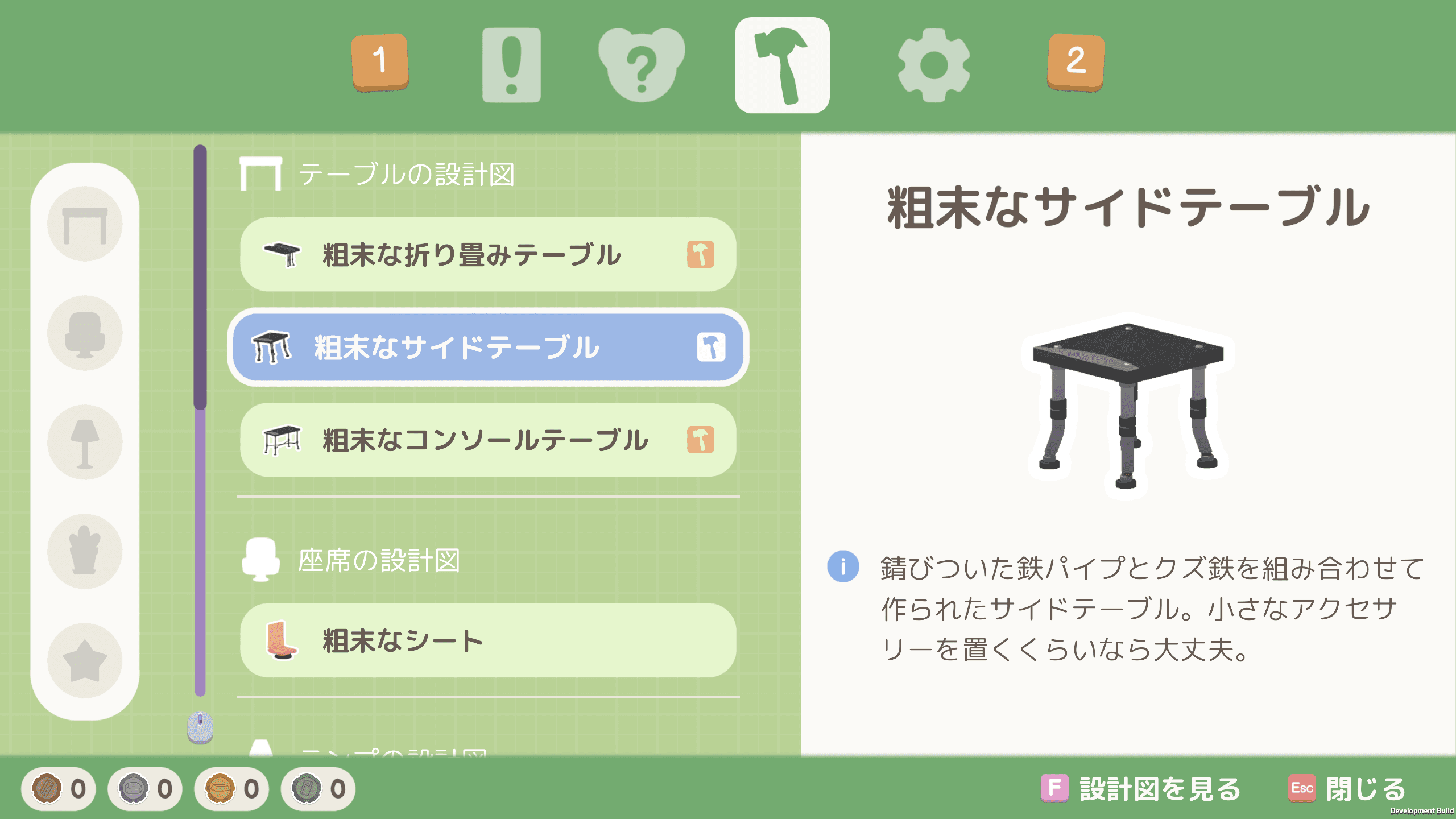
Localisation Support
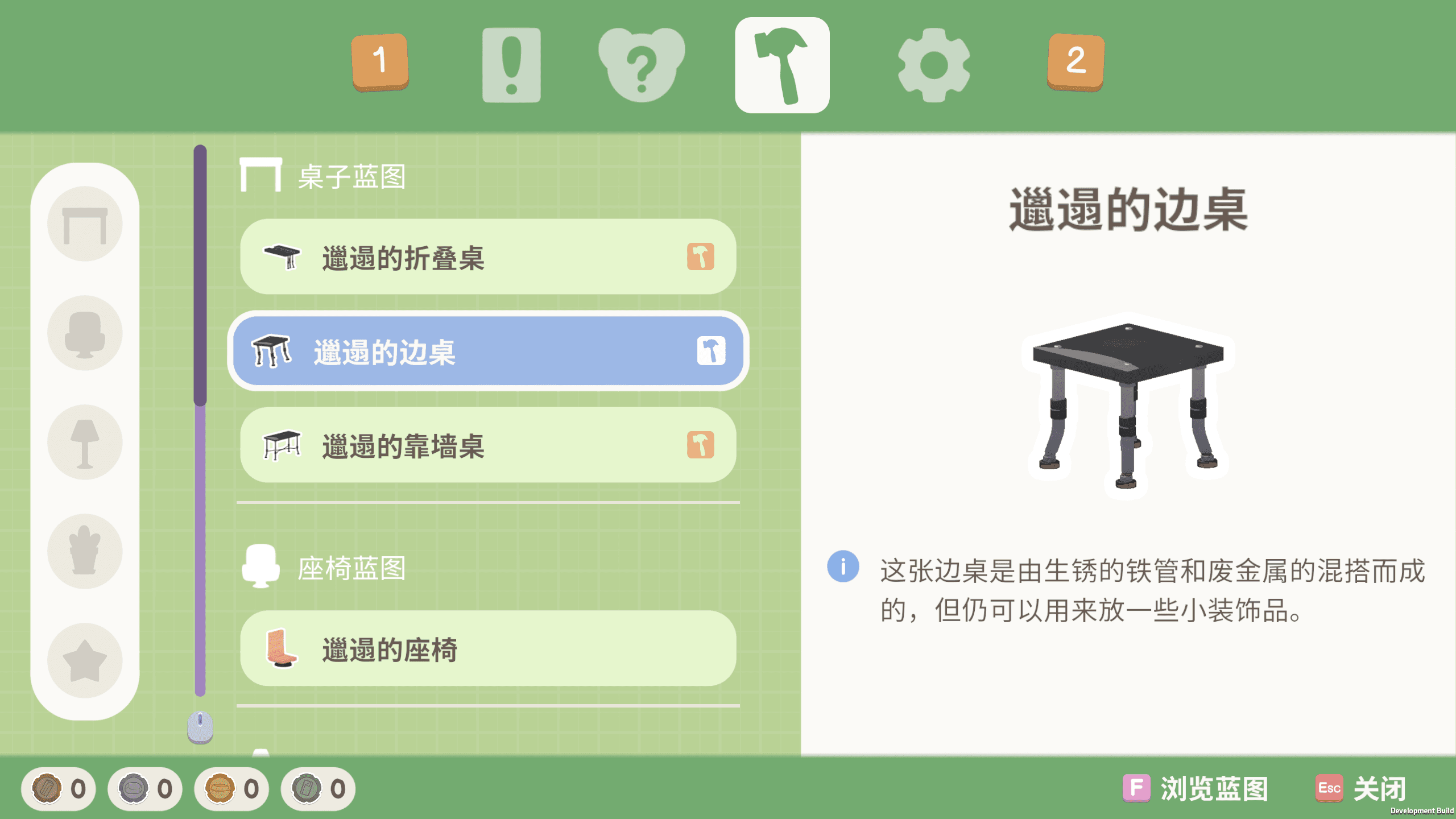
Currently, Locomoto supports seven languages by using three different typefaces in total. It was important to find fonts that fit the style of our UI, which would complement menus that are colorful and contained rounded-edged shapes.
Having decided the main typeface early on, helped us greatly in finding the right typefaces for Chinese and Japanese languages.
Localisation Support
Currently, Locomoto supports seven languages by using three different typefaces in total. It was important to find fonts that fit the style of our UI, which would complement menus that are colorful and contained rounded-edged shapes.
Having decided the main typeface early on, helped us greatly in finding the right typefaces for Chinese and Japanese languages.
Localisation Support
Currently, Locomoto supports seven languages by using three different typefaces in total. It was important to find fonts that fit the style of our UI, which would complement menus that are colorful and contained rounded-edged shapes.
Having decided the main typeface early on, helped us greatly in finding the right typefaces for Chinese and Japanese languages.
Mockups to Final Design
Mockups to Final Design
Mockups to Final Design
Keeping the style and layout of the menus consistent was very important to achieve. We wanted to achieve interactions that were simple and not complicated to work with, yet have a colorful aesthetic. Designing a base for the layout of how the menus will be navigated and interacted, allowed us to present different menus with similar controls.
Keeping the style and layout of the menus consistent was very important to achieve. We wanted to achieve interactions that were simple and not complicated to work with, yet have a colorful aesthetic. Designing a base for the layout of how the menus will be navigated and interacted, allowed us to present different menus with similar controls.
Keeping the style and layout of the menus consistent was very important to achieve. We wanted to achieve interactions that were simple and not complicated to work with, yet have a colorful aesthetic. Designing a base for the layout of how the menus will be navigated and interacted, allowed us to present different menus with similar controls.
HUD
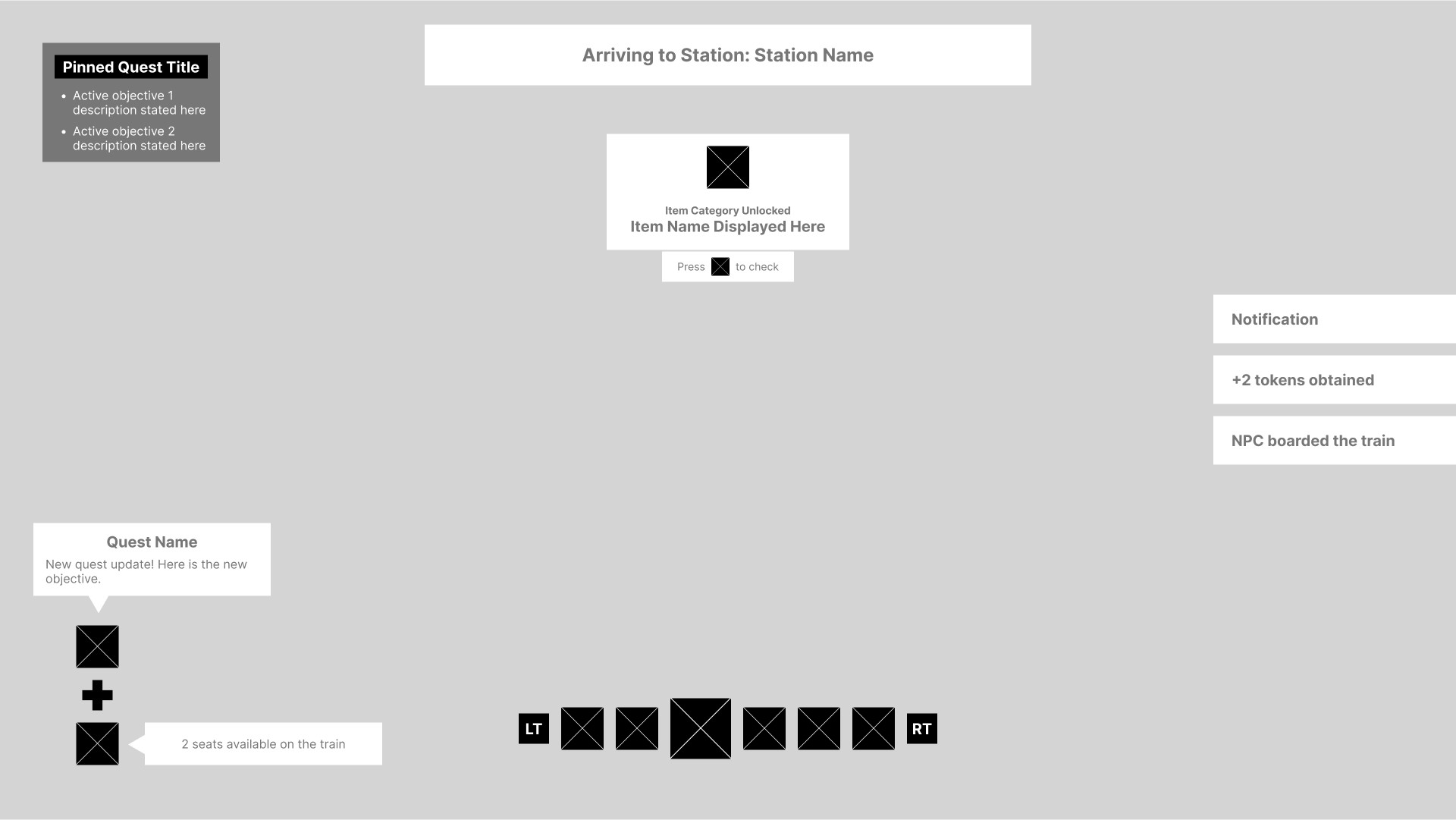
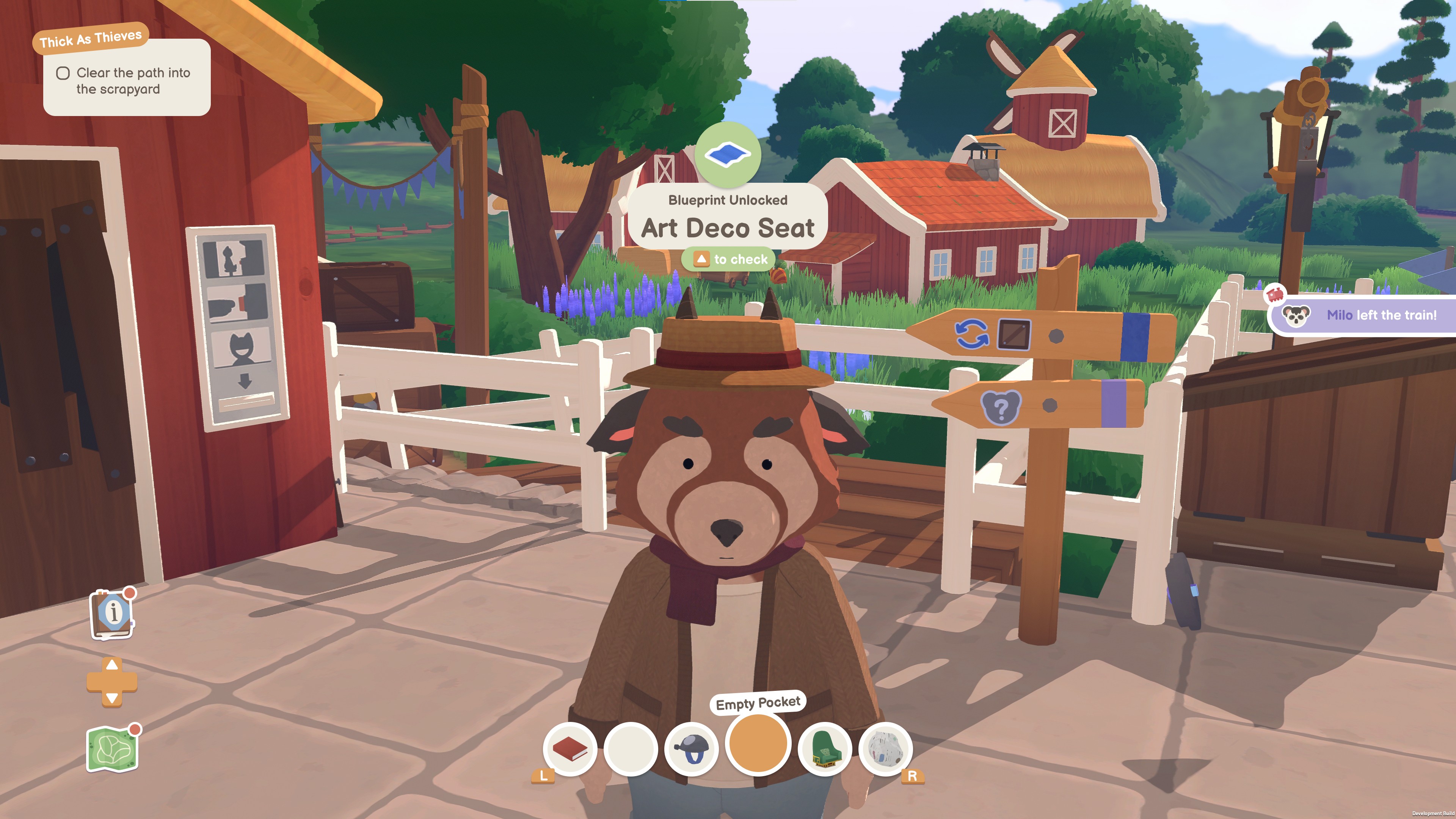
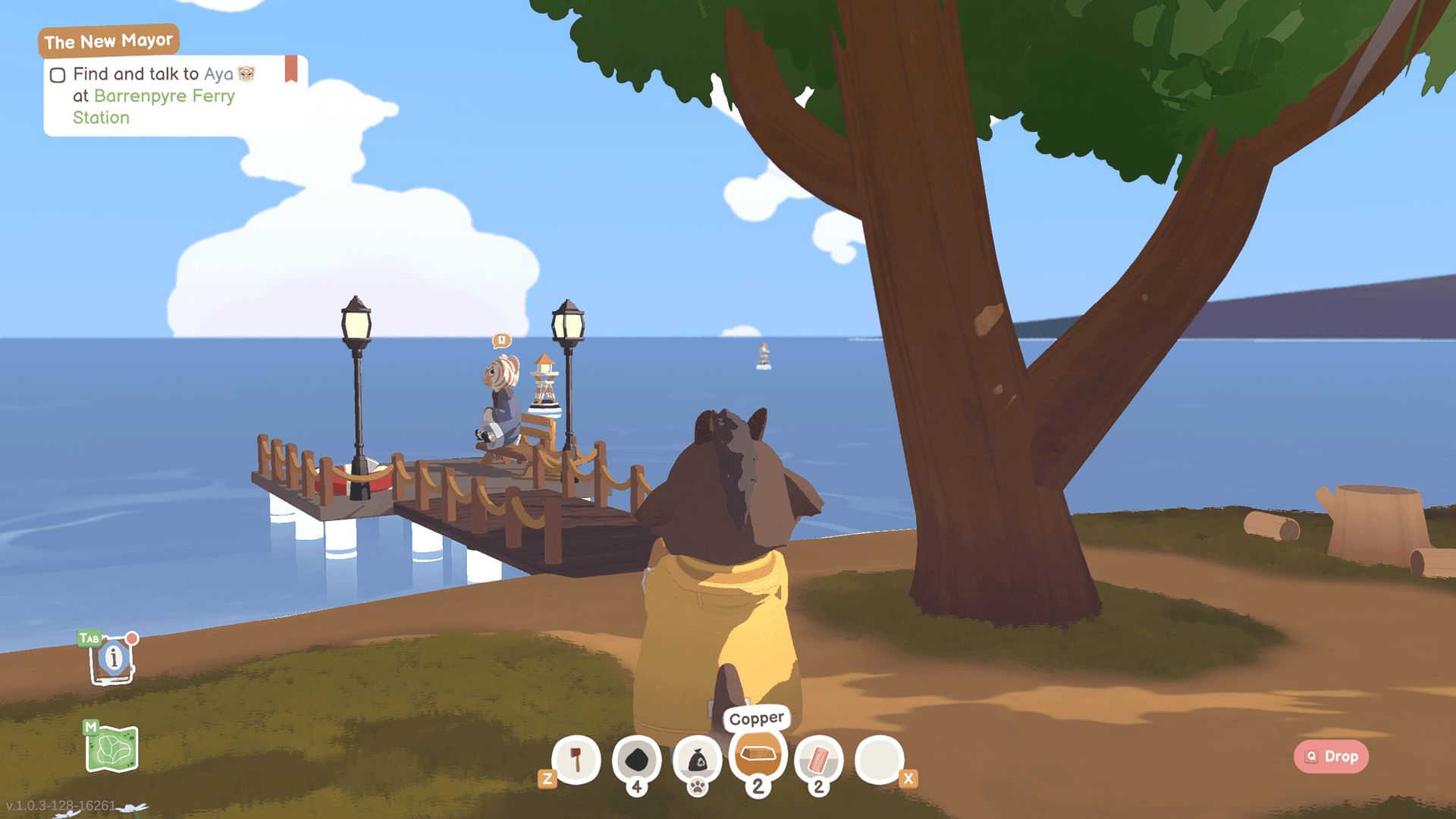
The design for the HUD had to be flexible throughout the development of Locomoto. There were many mechanics in the game that the players had to know about, but not all the time. The UX concept for the design was carefully made so UI elements do not overlap at any point.
White Background: Temporary UI, shows and disappears after some time.
Black Background: Elements that are permanently on the HUD
Grey Background: Contextual element, user decides if the element is visible or not. Visible by default.
HUD
The design for the HUD had to be flexible throughout the development of Locomoto. There were many mechanics in the game that the players had to know about, but not all the time. The UX concept for the design was carefully made so UI elements do not overlap at any point.
White Background: Temporary UI, shows and disappears after some time.
Black Background: Elements that are permanently on the HUD
Grey Background: Contextual element, user decides if the element is visible or not. Visible by default.
HUD
The design for the HUD had to be flexible throughout the development of Locomoto. There were many mechanics in the game that the players had to know about, but not all the time. The UX concept for the design was carefully made so UI elements do not overlap at any point.
White Background: Temporary UI, shows and disappears after some time.
Black Background: Elements that are permanently on the HUD
Grey Background: Contextual element, user decides if the element is visible or not. Visible by default.
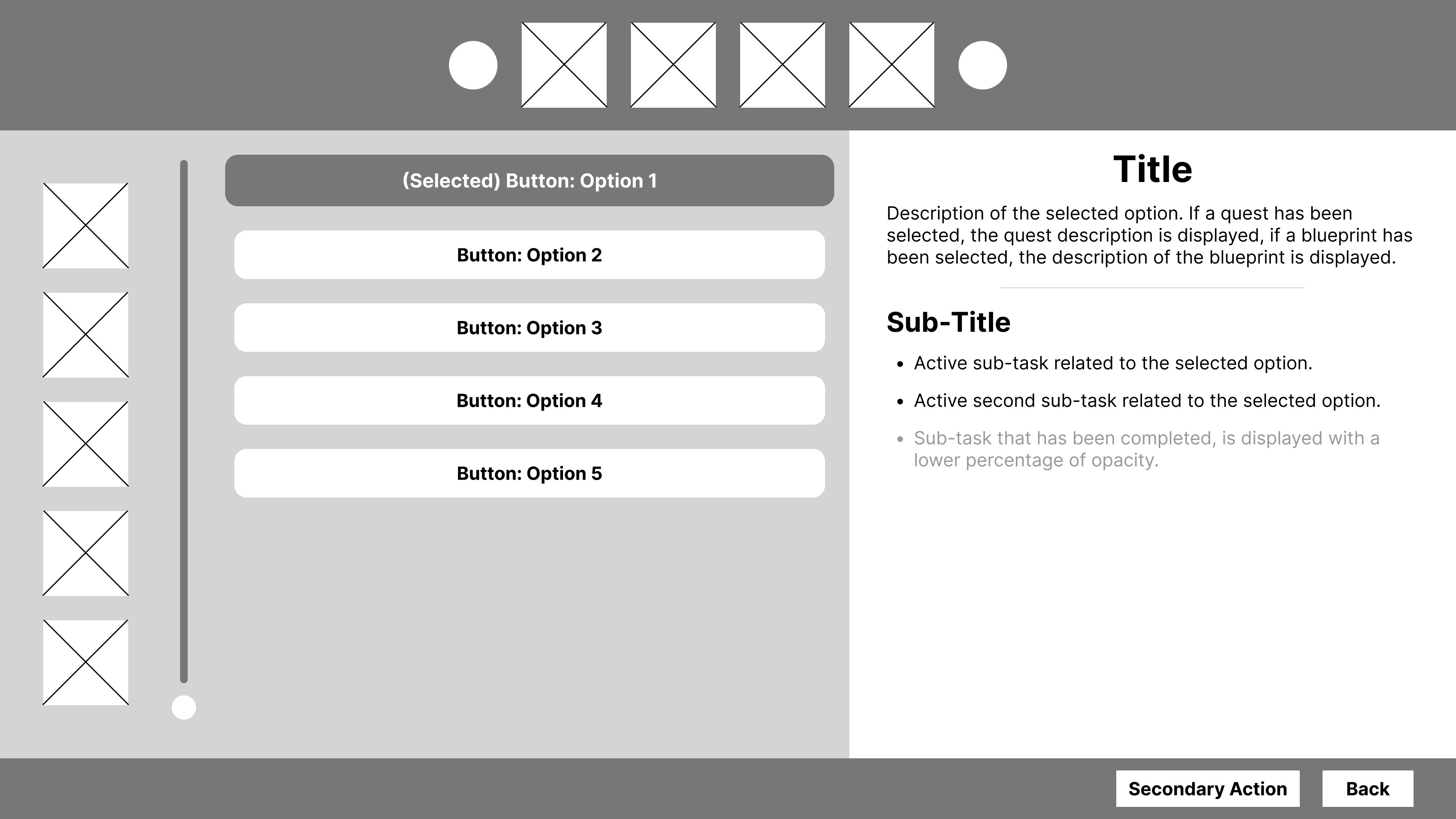
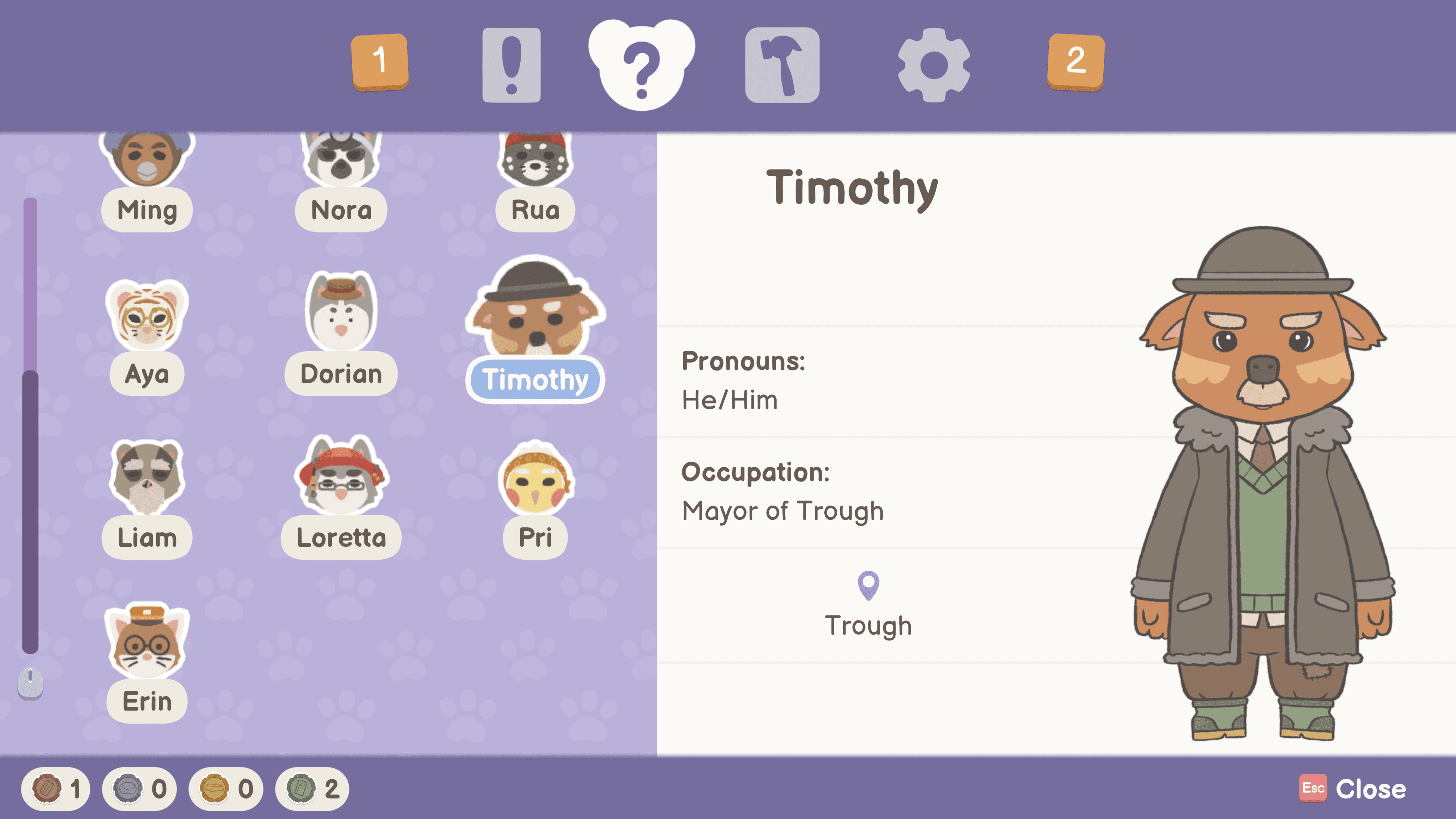
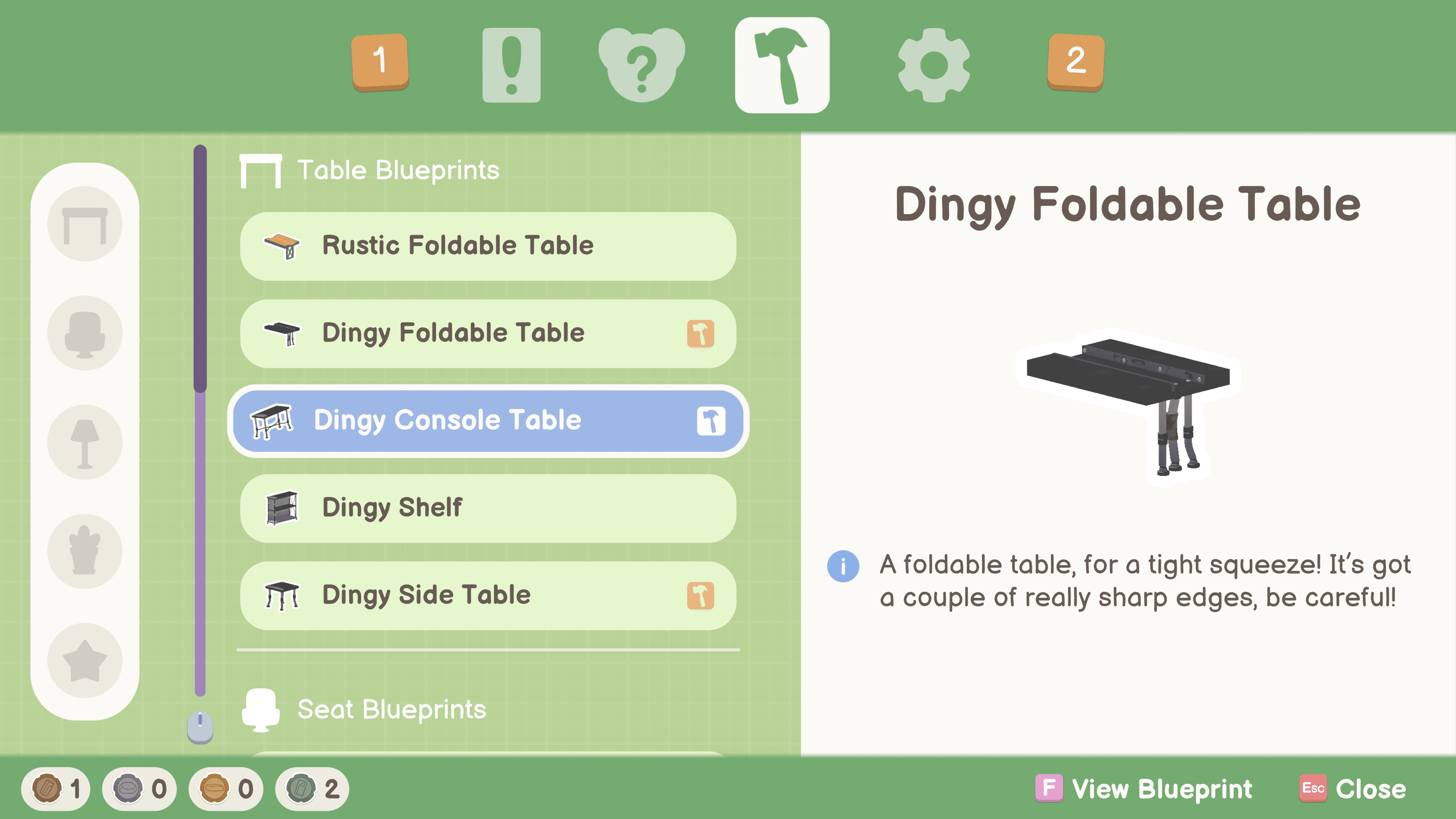
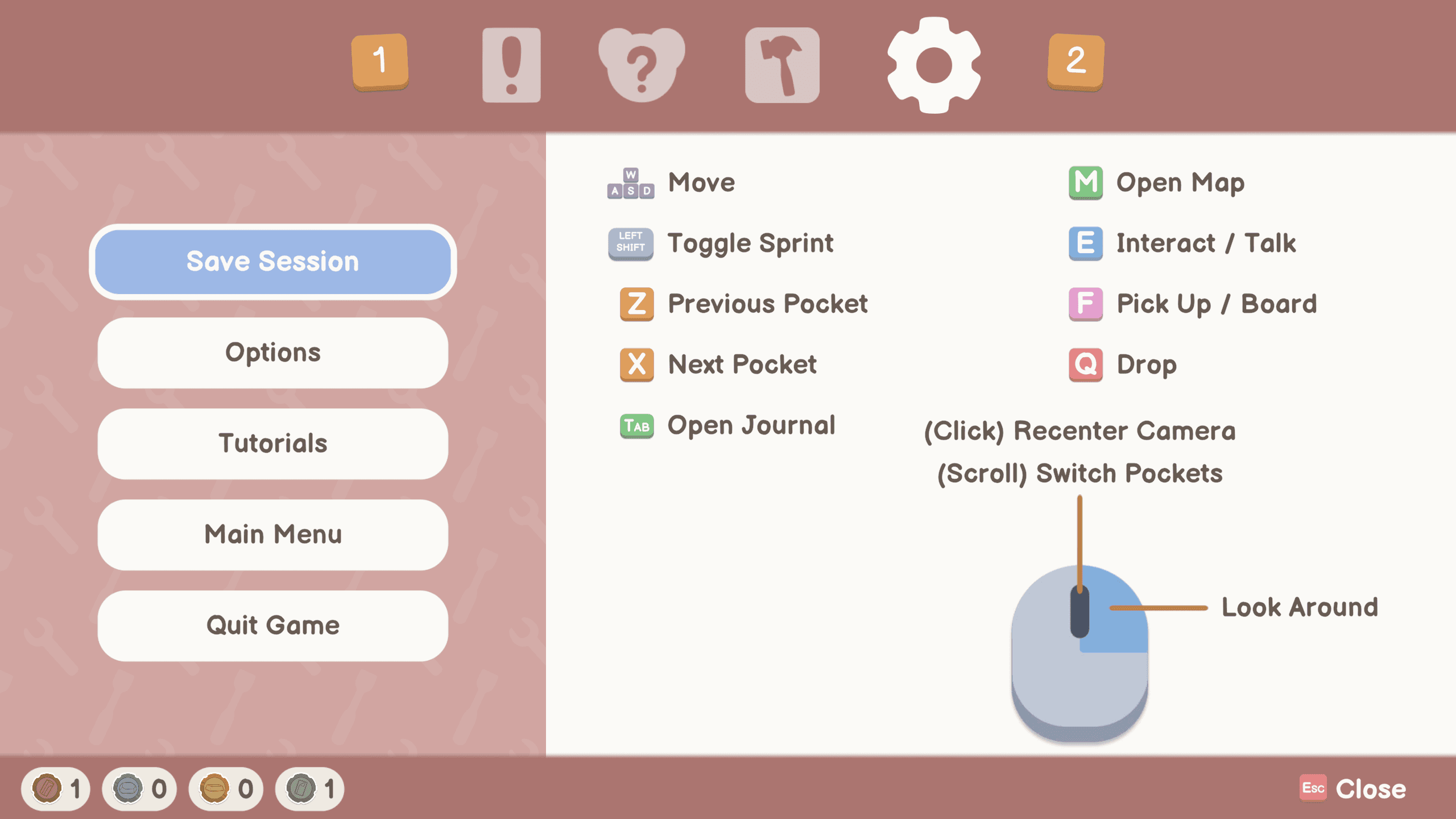
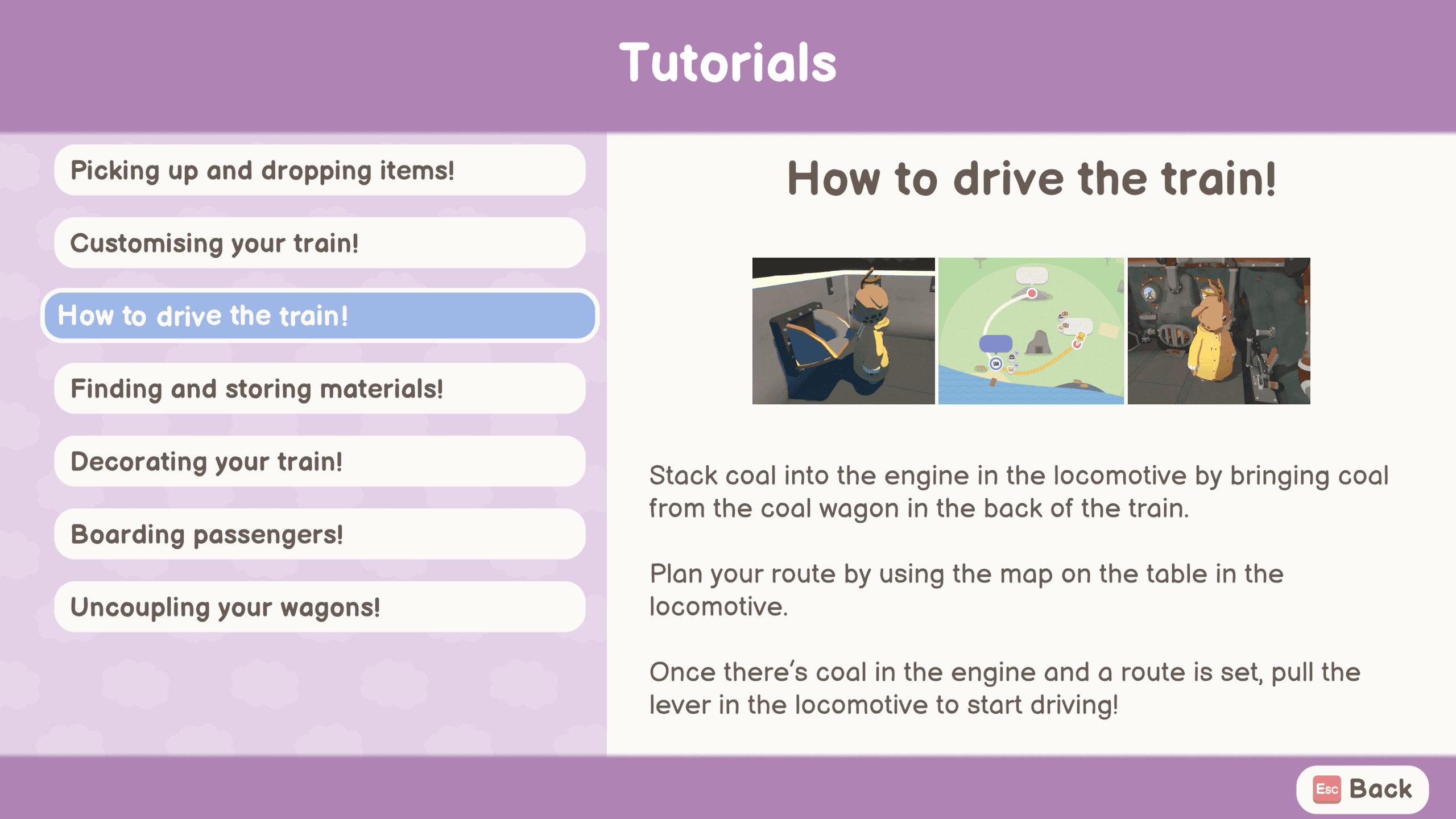
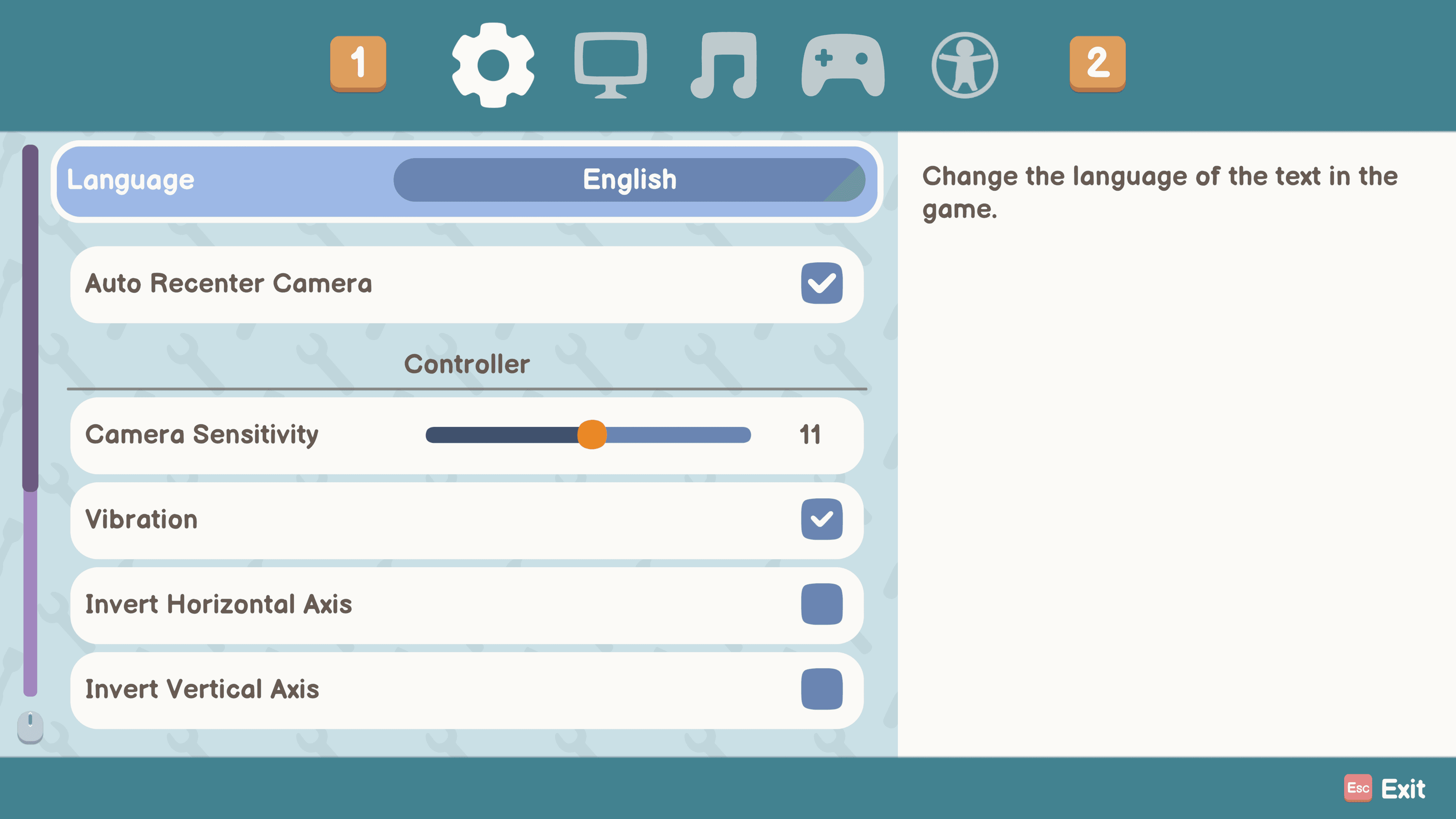
Player Menu
Menus for quests, NPCs, blueprints, settings, options and tutorials were based on the same concept for players to easily recognise the layout.
Player Menu
Menus for quests, NPCs, blueprints, settings, options and tutorials were based on the same concept for players to easily recognise the layout.
Player Menu
Menus for quests, NPCs, blueprints, settings, options and tutorials were based on the same concept for players to easily recognise the layout.
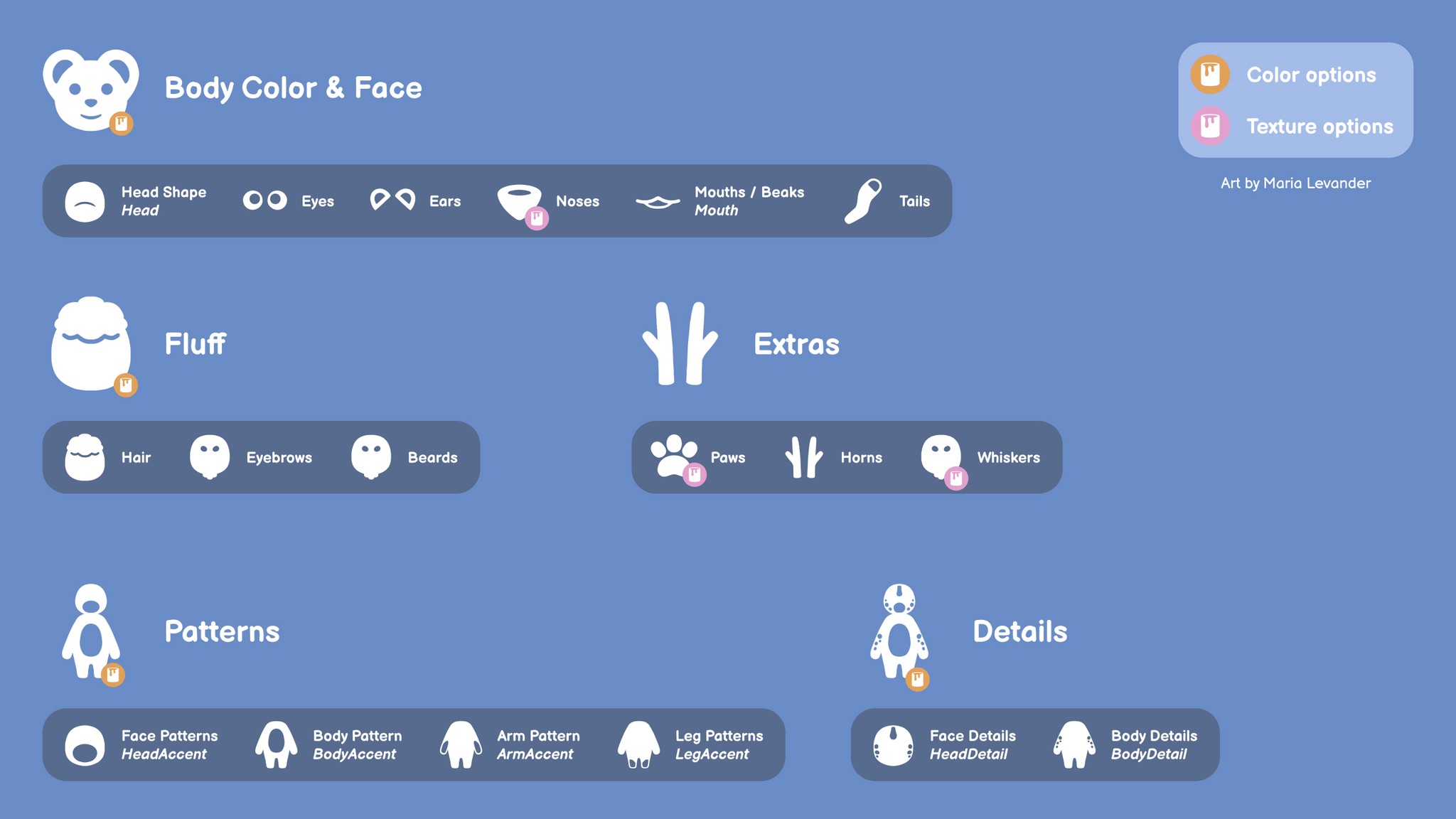
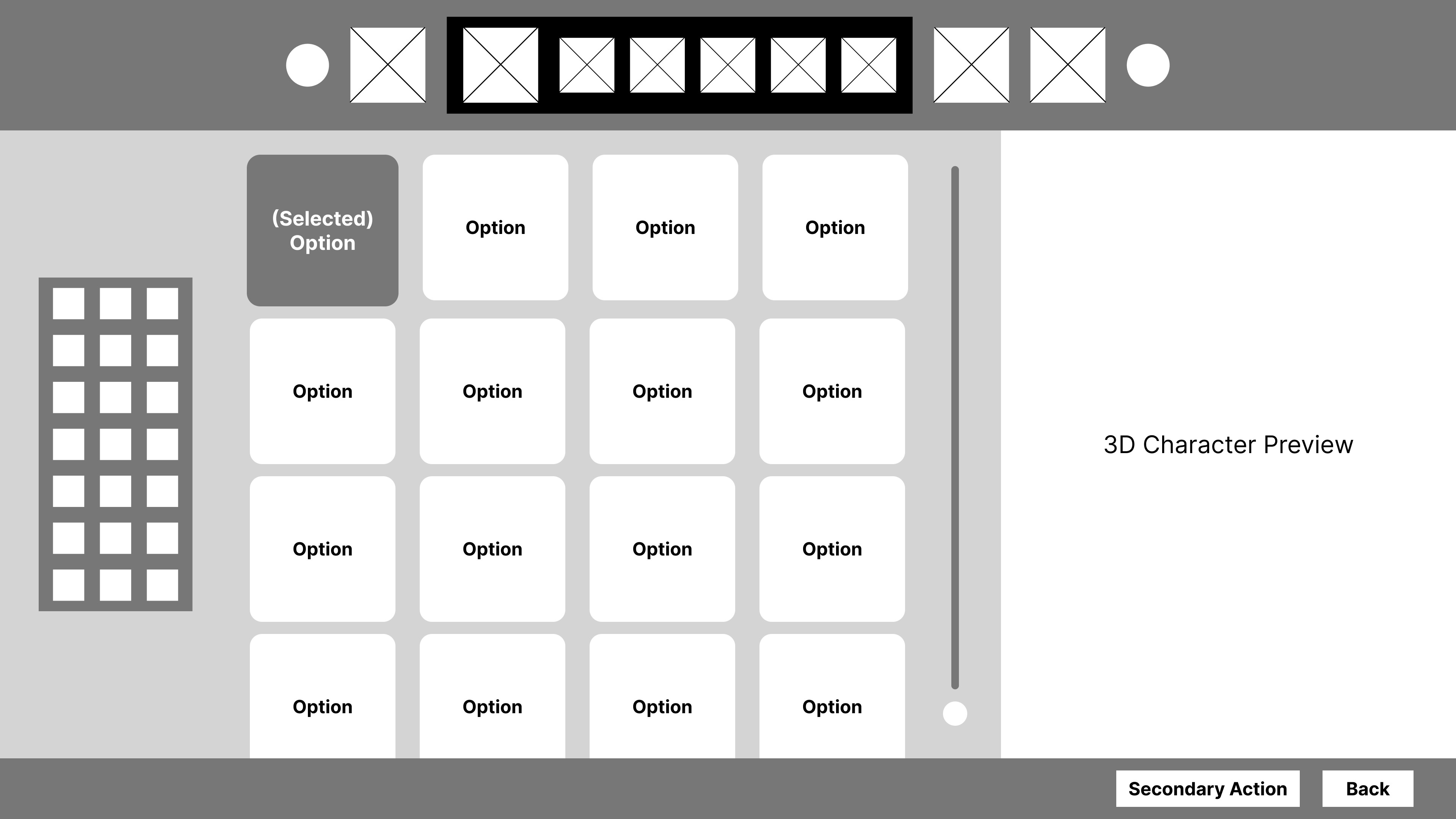
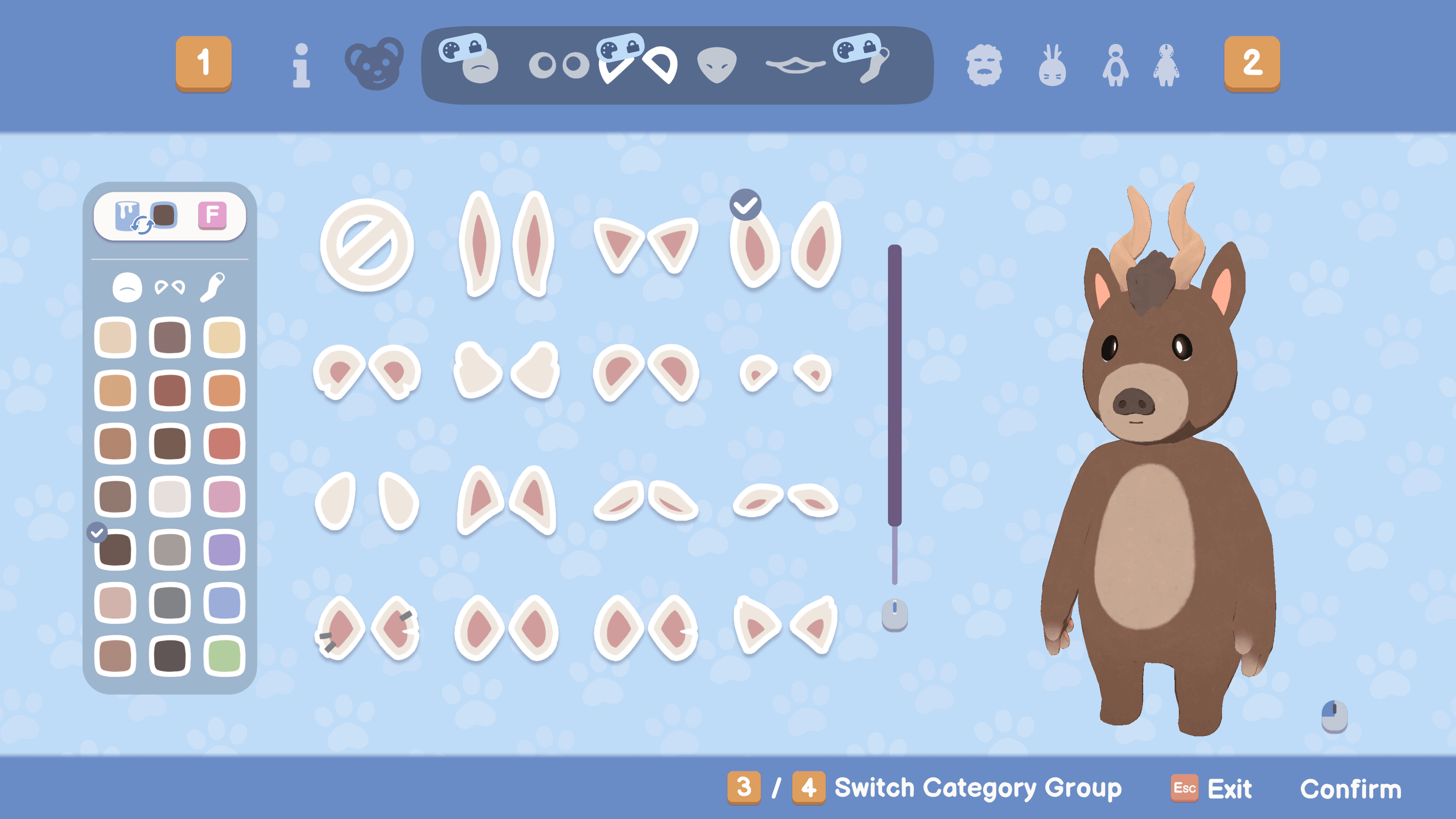
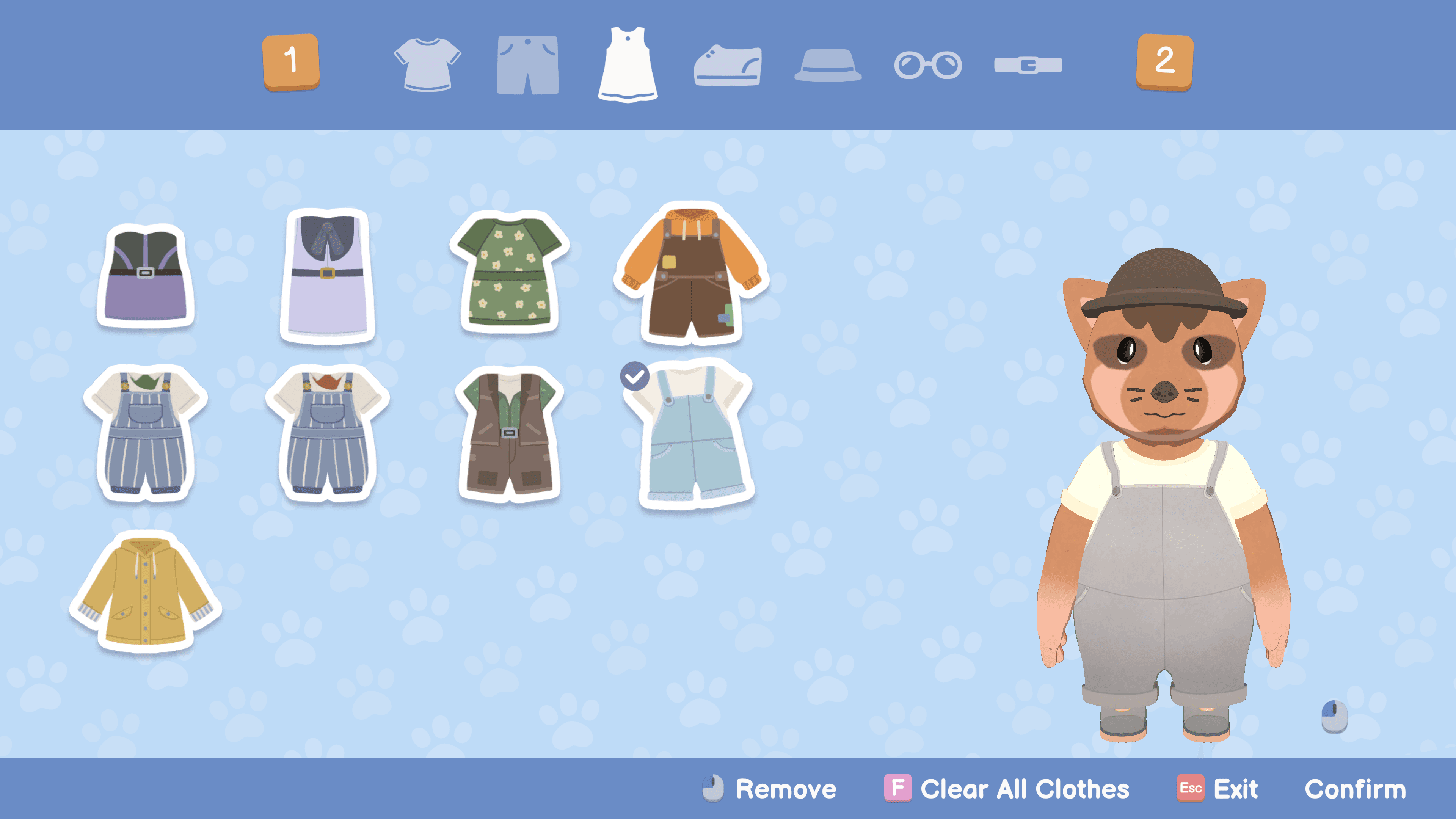
Character Customisation
This menu is the most compact design we have in the game. It was important to group the customisation categories and state which groups would have matching colors as a feature, and which categories would have texture to change instead of the color.
Character Customisation
This menu is the most compact design we have in the game. It was important to group the customisation categories and state which groups would have matching colors as a feature, and which categories would have texture to change instead of the color.
Character Customisation
This menu is the most compact design we have in the game. It was important to group the customisation categories and state which groups would have matching colors as a feature, and which categories would have texture to change instead of the color.
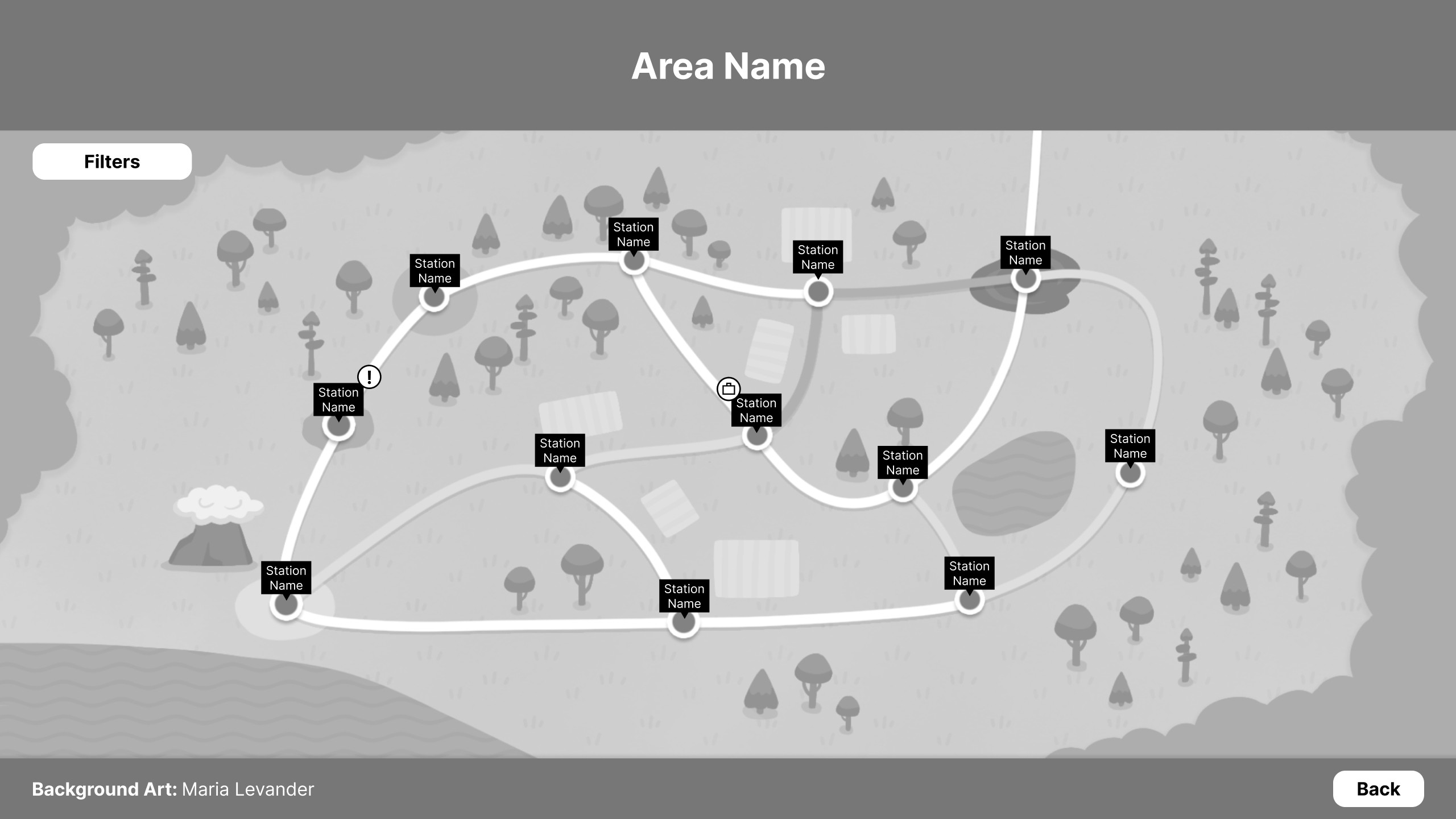
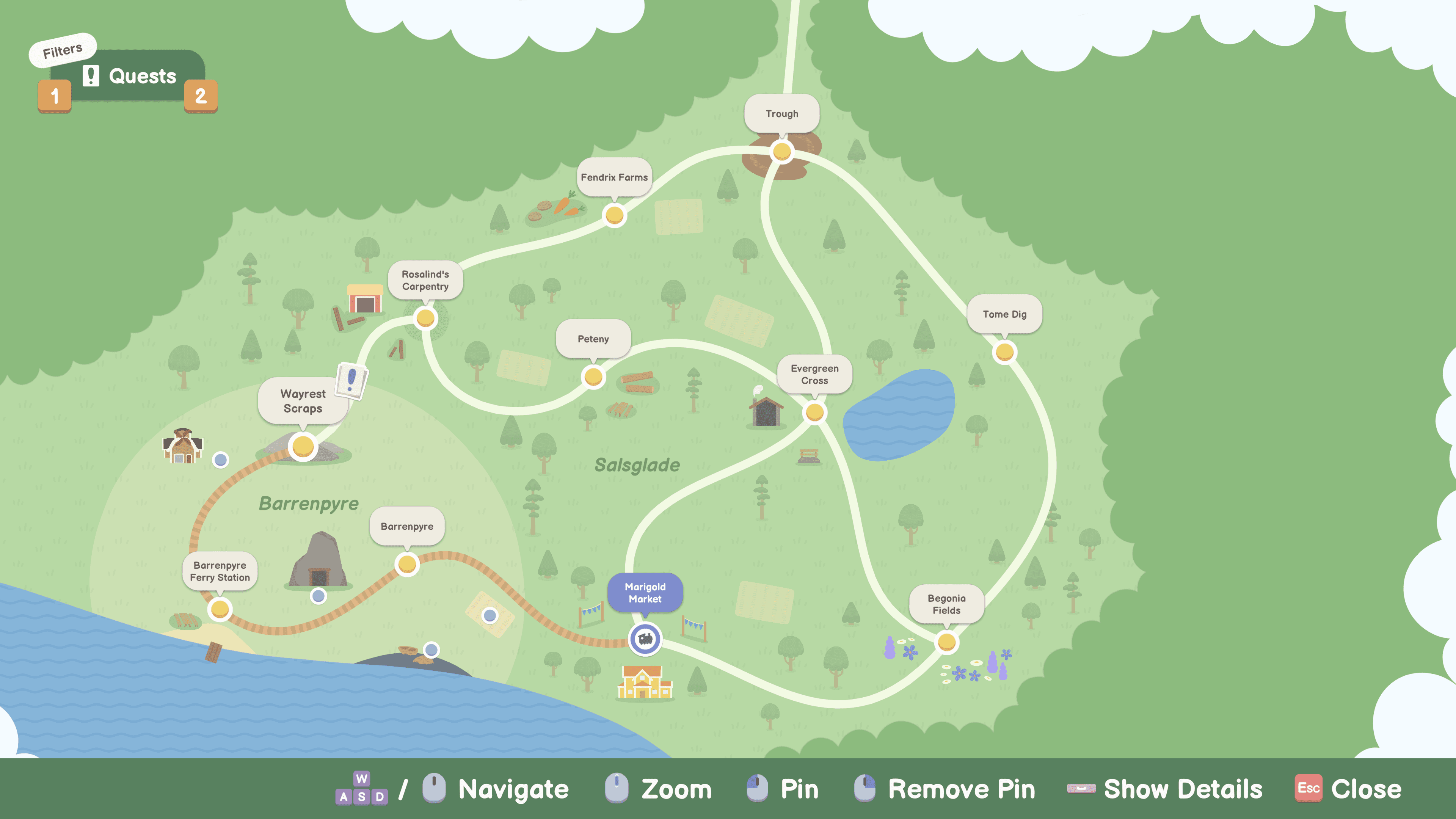
Map
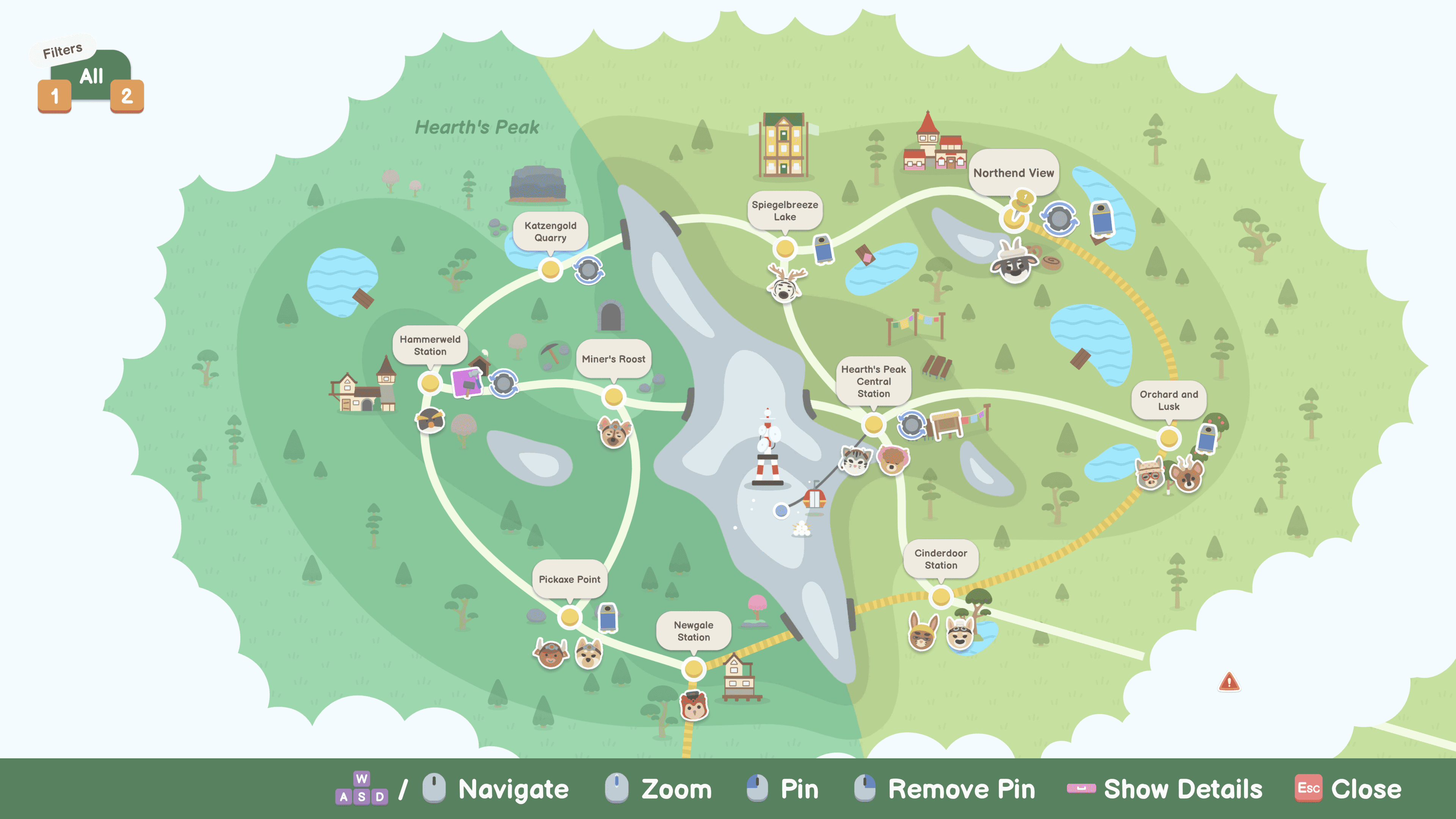
The design for the map started out similar to the other menus we had in the game, having borders on the top and bottom. However, after testing for several iterations, the top border started to feel less important, and making the area name show as part of the map background felt more natural and connected.
Map
The design for the map started out similar to the other menus we had in the game, having borders on the top and bottom. However, after testing for several iterations, the top border started to feel less important, and making the area name show as part of the map background felt more natural and connected.
Map
The design for the map started out similar to the other menus we had in the game, having borders on the top and bottom. However, after testing for several iterations, the top border started to feel less important, and making the area name show as part of the map background felt more natural and connected.
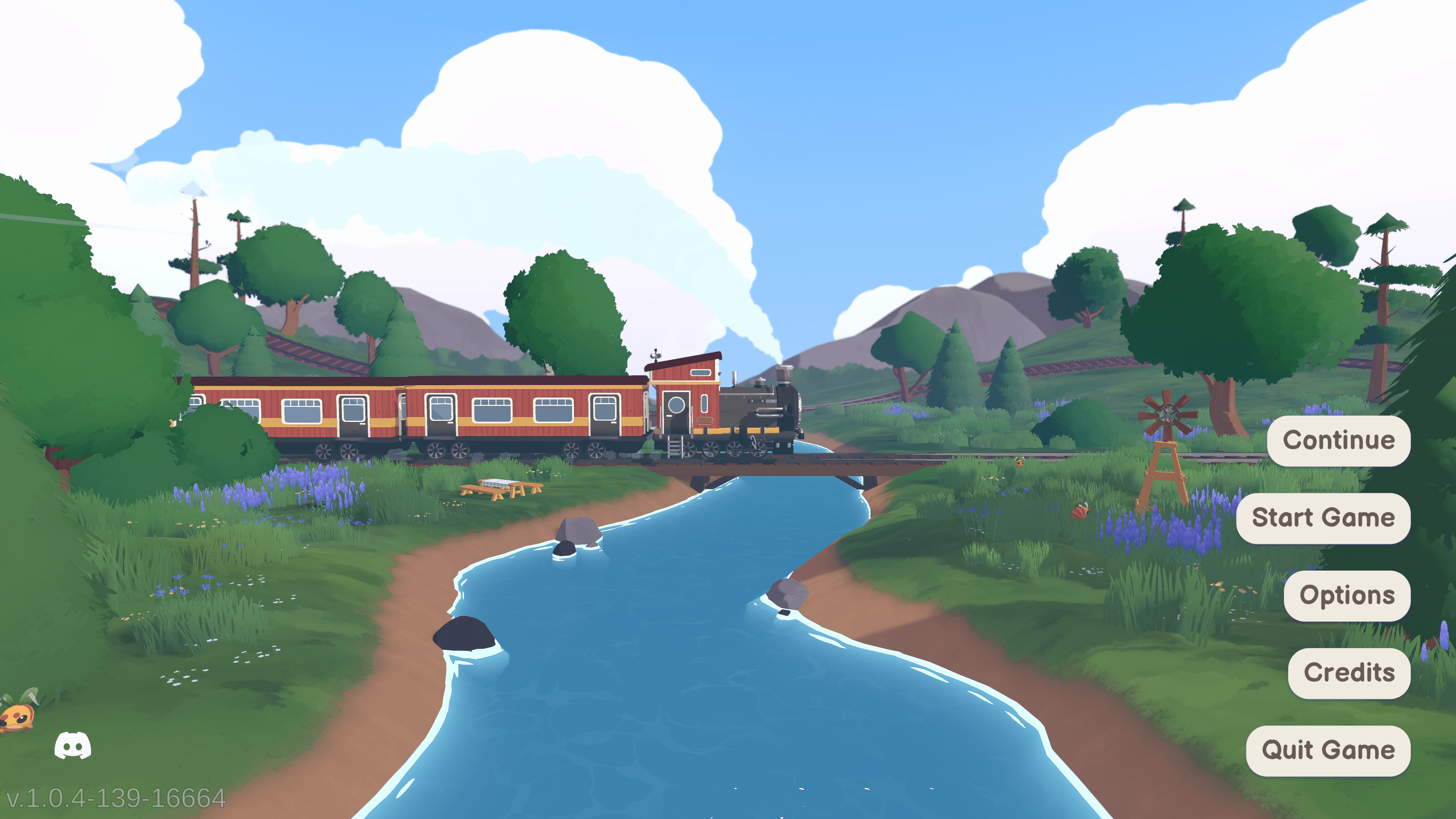
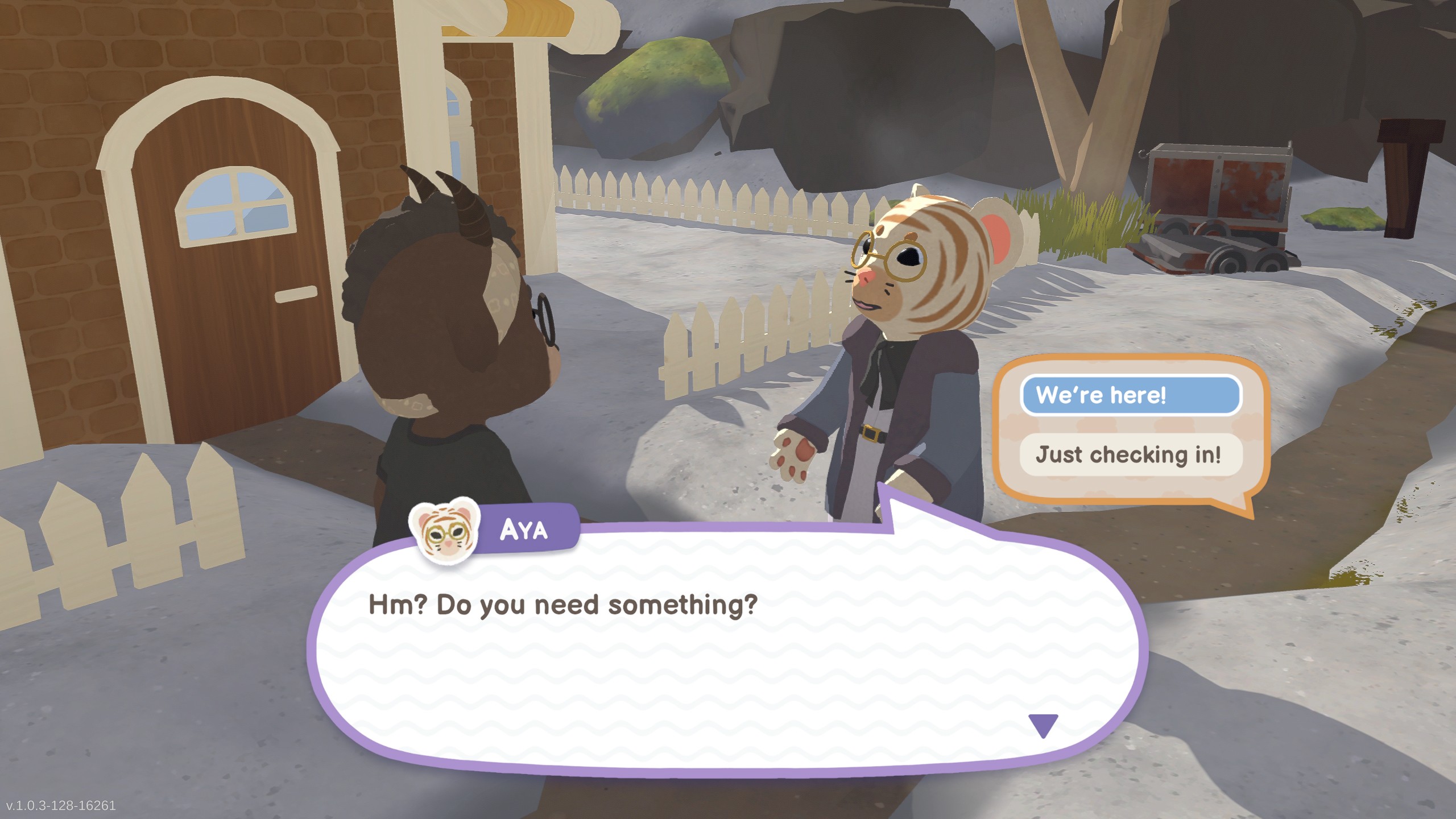
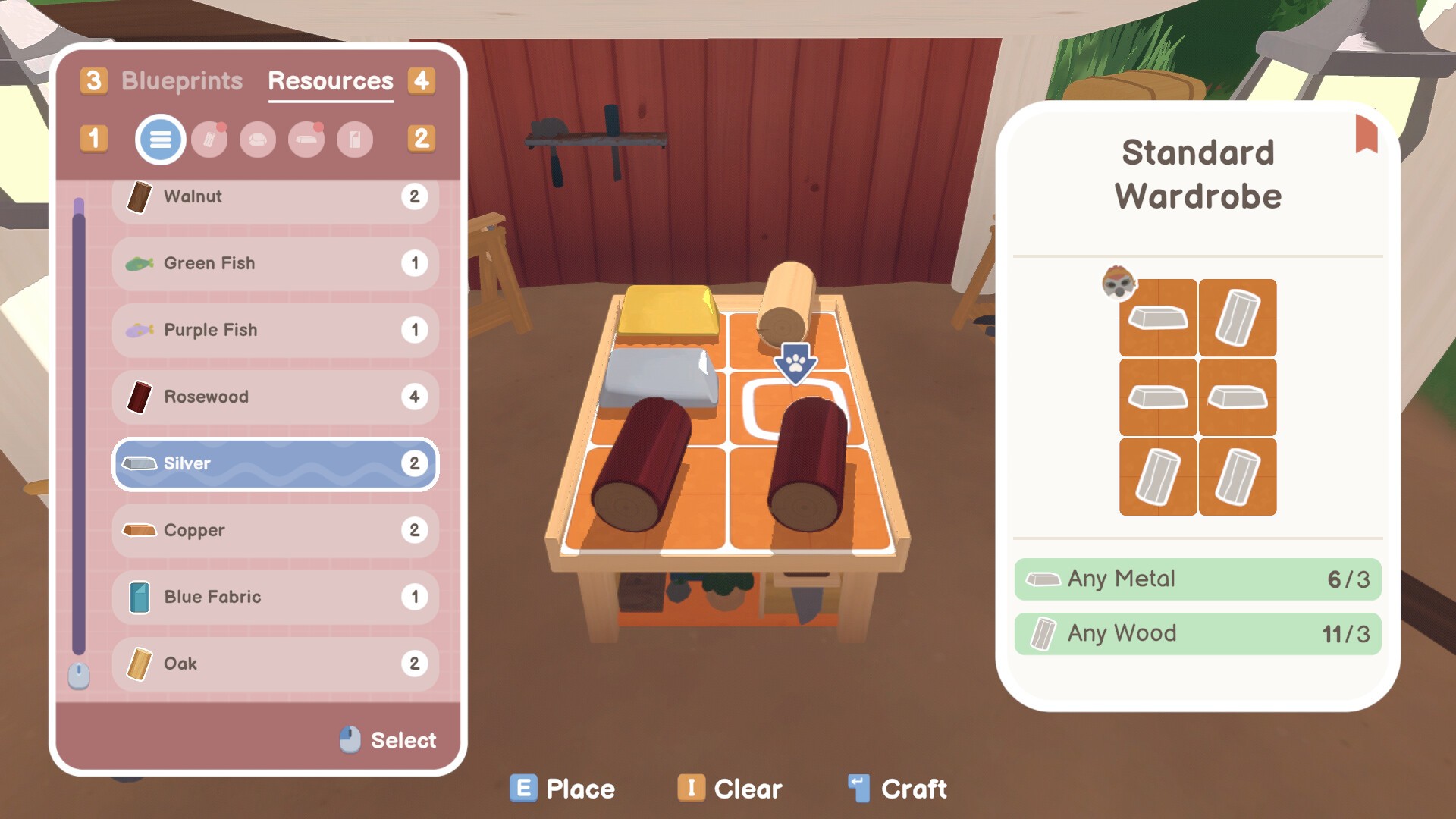
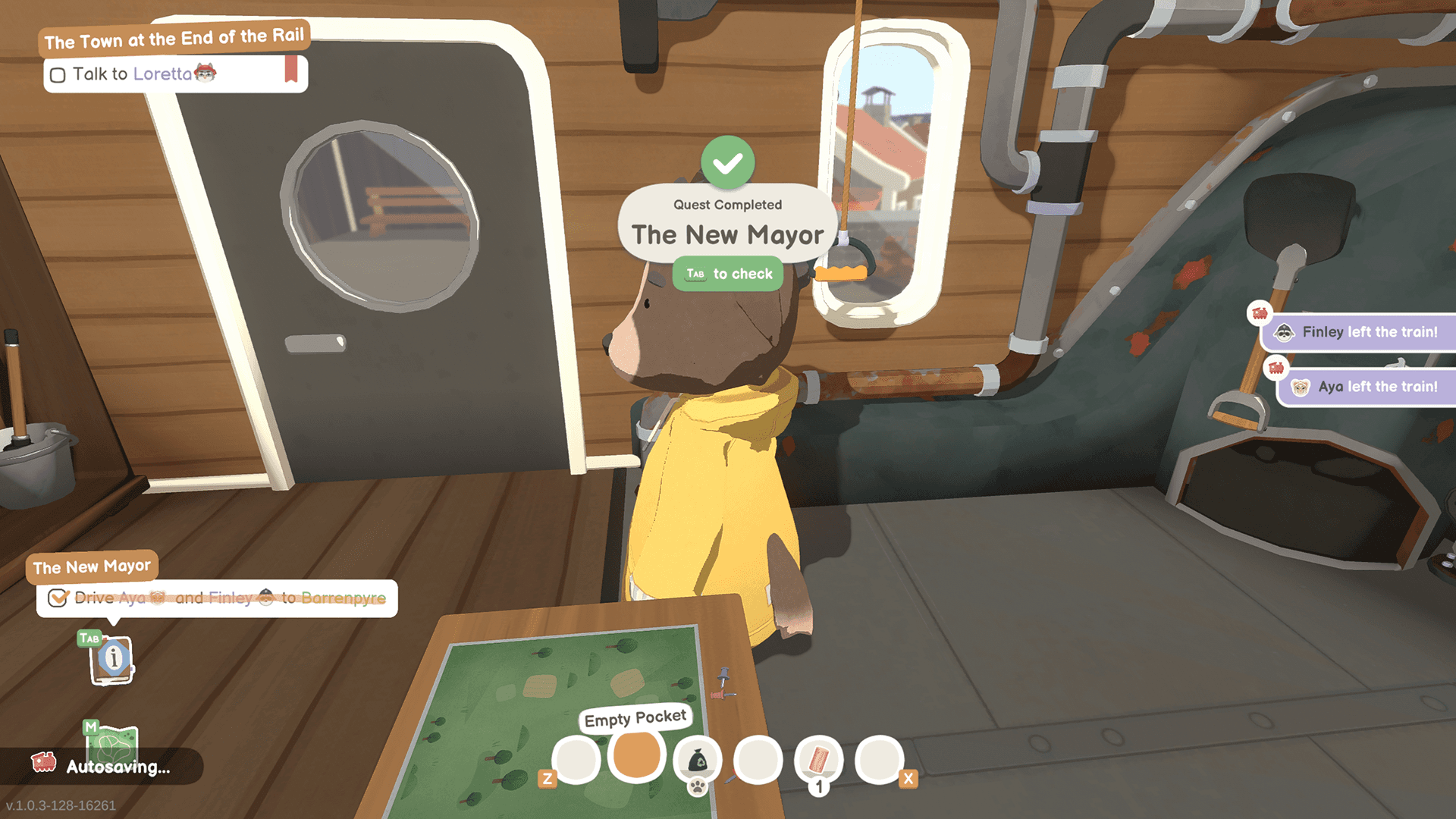
Screenshot Showcase
Screenshot Showcase
Screenshot Showcase
Responsibilities
Responsibilities
Responsibilities
Cross-Disciplinary Communication
Collaborative work across disciplines; Art, Audio, Design and Programming, making sure all the functionality is working as intended and the style across the menus are consistent.
Discussions with Art about icons, colors, and fonts, adapting to changes quickly.
Concepting newly implemented mechanics from Design and supporting the idea with new user interfaces.
Integration of Unity FMOD plugin to work with UI elements.
Working on optimising UI assets (compression), making sprite atlases.
Cross-Disciplinary Communication
Collaborative work across disciplines; Art, Audio, Design and Programming, making sure all the functionality is working as intended and the style across the menus are consistent.
Discussions with Art about icons, colors, and fonts, adapting to changes quickly.
Concepting newly implemented mechanics from Design and supporting the idea with new user interfaces.
Integration of Unity FMOD plugin to work with UI elements.
Working on optimising UI assets (compression), making sprite atlases.
Cross-Disciplinary Communication
Collaborative work across disciplines; Art, Audio, Design and Programming, making sure all the functionality is working as intended and the style across the menus are consistent.
Discussions with Art about icons, colors, and fonts, adapting to changes quickly.
Concepting newly implemented mechanics from Design and supporting the idea with new user interfaces.
Integration of Unity FMOD plugin to work with UI elements.
Working on optimising UI assets (compression), making sprite atlases.
UI/UX Design
Creating mockups to present the flow of the menus.
Designing high-fidelity prototypes to test out different ideas for the menus.
UI/UX Design
Creating mockups to present the flow of the menus.
Designing high-fidelity prototypes to test out different ideas for the menus.
UI/UX Design
Creating mockups to present the flow of the menus.
Designing high-fidelity prototypes to test out different ideas for the menus.
UI Programming
Creating menus from concepts to fully functional by coding in C#.
Implementing a tutorial manager, to create interactions that can pop up tutorial modals.
Created scriptable objects for designers to use to create tutorial interactions easily.
Writing custom scripts for buttons, menus, tabs, and animations.
Developing tools for Marketing to use when capturing footage, to hide or show UI.
UI Programming
Creating menus from concepts to fully functional by coding in C#.
Implementing a tutorial manager, to create interactions that can pop up tutorial modals.
Created scriptable objects for designers to use to create tutorial interactions easily.
Writing custom scripts for buttons, menus, tabs, and animations.
Developing tools for Marketing to use when capturing footage, to hide or show UI.
UI Programming
Creating menus from concepts to fully functional by coding in C#.
Implementing a tutorial manager, to create interactions that can pop up tutorial modals.
Created scriptable objects for designers to use to create tutorial interactions easily.
Writing custom scripts for buttons, menus, tabs, and animations.
Developing tools for Marketing to use when capturing footage, to hide or show UI.
Menus Designed and Implemented
Main Menu
Options Menu
Character Customisation
Clothing Customisation
Crafting Menu
Token Exchange Menu
Worldspace UI, displayed on top of NPCs heads, depending on their states
Quest Indicators
Quote Indicators
Travel Indicators
HUD
Player Inventory (Pockets)
Controls Reference (right-bottom corner)
Button Prompts - Contextual (when hovered over interactable objects)
Notification System
Popups for Quest Updates & Unlocks
Player Menu, tabs listed below:
Quests
NPC
Blueprints
Settings
Tutorial Menu
Modals & Popups
Menus Designed and Implemented
Main Menu
Options Menu
Character Customisation
Clothing Customisation
Crafting Menu
Token Exchange Menu
Worldspace UI, displayed on top of NPCs heads, depending on their states
Quest Indicators
Quote Indicators
Travel Indicators
HUD
Player Inventory (Pockets)
Controls Reference (right-bottom corner)
Button Prompts - Contextual (when hovered over interactable objects)
Notification System
Popups for Quest Updates & Unlocks
Player Menu, tabs listed below:
Quests
NPC
Blueprints
Settings
Tutorial Menu
Modals & Popups
Menus Designed and Implemented
Main Menu
Options Menu
Character Customisation
Clothing Customisation
Crafting Menu
Token Exchange Menu
Worldspace UI, displayed on top of NPCs heads, depending on their states
Quest Indicators
Quote Indicators
Travel Indicators
HUD
Player Inventory (Pockets)
Controls Reference (right-bottom corner)
Button Prompts - Contextual (when hovered over interactable objects)
Notification System
Popups for Quest Updates & Unlocks
Player Menu, tabs listed below:
Quests
NPC
Blueprints
Settings
Tutorial Menu
Modals & Popups